About Pokémon Redstone
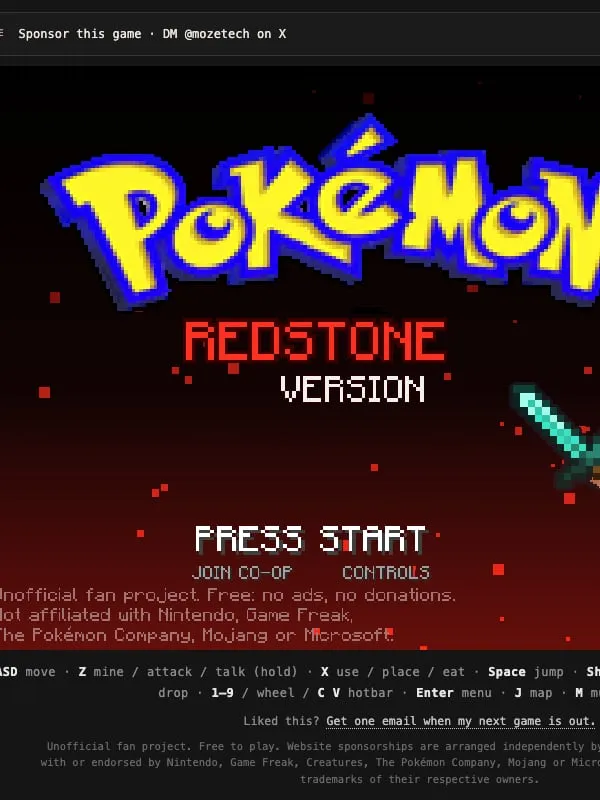
Pokémon Redstone is a fan game that crosses two very different series. The setting is Kanto, the region from the first Pokémon games, but the hero is Steve from Minecraft, and you manage your gear from a Minecraft-style hotbar.
The late-game goals come straight from Minecraft. You mine and craft, build a portal to the Nether, fight through a fortress on the other side, track down the stronghold by following an Eye of Ender, and finally face the Ender Dragon, which you try to capture with an Ultra Ball.
The game was made by Maximus Spritius, who goes by @MozeTech. It was built for the web from the start rather than ported from another platform, and it has no connection to Nintendo, Game Freak, The Pokémon Company, Mojang or Microsoft.
How it runs in your browser
Pokémon Redstone plays directly on this page in the player above, loaded from its home at pokemon-redstone.pages.dev. There’s nothing to download or install.
Your progress is saved in the browser you play in. That has two practical effects: a save won’t follow you to another computer or browser, and clearing your browsing data for the site can erase it. For a longer playthrough, stick with one browser and skip private or incognito windows, which usually throw away site data when you close them.
There’s no online play. This is a single-player adventure.
Controls and devices
The game is built for a keyboard. The known controls are:
- Move: arrow keys or WASD
- Mine, attack or talk: Z
- Use and place: X
- Jump: Space
- Inventory: E
Z and X work like a handheld’s two action buttons, while E opens the inventory the way it does in Minecraft, so players of either series should settle in quickly. Controller support isn’t listed, and the game isn’t set up for phones or tablets, so plan to play on a laptop or desktop.
Who it’s for
It suits players who grew up with both series and want to see how their ideas fit together in one small adventure. If you’d rather play Minecraft on its own, see our Minecraft page.
How to Play Pokémon Redstone: Controls
| Action | Keyboard & mouse |
|---|---|
| Move | Arrows / WASD |
| Mine, attack, talk | Z |
| Use and place | X |
| Jump | Space |
| Inventory | E |
Is Pokémon Redstone Free, Safe and Official?
Is Pokémon Redstone an official Pokémon game?
No. It’s an unofficial fan game by Maximus Spritius (@MozeTech), and it isn’t made or endorsed by Nintendo, Game Freak, The Pokémon Company, Mojang or Microsoft.
Does Pokémon Redstone save my progress?
Yes. Your save is kept in the browser you play in, so come back on the same browser and device to continue, and avoid clearing the site’s data.
Can I play Pokémon Redstone on a phone?
It isn’t set up for phones or tablets. Play it on a computer with a keyboard, using the arrow keys or WASD to move and Z, X, Space and E for actions.