About the Pokémon collection
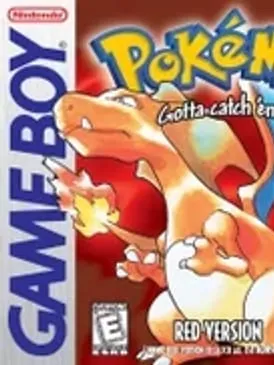
Pokémon began in 1996 with Red and Green in Japan, later released worldwide as Red and Blue, from developer Game Freak and publisher Nintendo. The formula has changed surprisingly little since: catch creatures, train a team, beat the region’s Gym Leaders and the Elite Four, and fill your Pokédex along the way.
This page points to pokeweb, a fan site run by morisoba that gathers 18 of the classic games in one place. The range runs from Red and Blue on the original Game Boy through Black and White on the Nintendo DS, covering the Game Boy Color and Game Boy Advance generations in between. You pick a game from the site’s list and start playing.
How it runs in your browser
The collection opens on pokeweb.morisoba.moe in a new tab, not inside our page. You don’t need to find or upload a ROM; the site provides the games and runs them through emulation in the browser. Nothing needs to be installed.
Saving isn’t listed as a supported feature, and that matters for role-playing games that take dozens of hours. Before you commit to a long run, check the site’s menus for a save option, and don’t expect progress to follow you to another browser or device. Online trading and battling aren’t supported either, so each game is a solo adventure here.
Controls and devices
The collection is meant for a computer. Phones aren’t listed as supported, and neither are controllers, so you play with the keyboard standing in for the D-pad and buttons. The games themselves need only a handful of inputs, so the keyboard works fine once you know which key maps to which button.
Tips
If you are new to the series, starting with the earliest games and moving forward is a good way to see how it grew. Each generation adds new creatures, a new region and new systems on top of the last, and Black and White mark the end of the range here, on the DS.
Long-time fans may prefer to jump straight to a favorite. Since the collection does not promise saves, a short replay of an early section is a safer use of a session than starting a full playthrough.
Is Pokémon (18 classic games) Free, Safe and Official?
Do I need a ROM to play these Pokémon games?
No. The pokeweb site provides the games itself, so you just pick one and start. There are no files to upload.
Will my Pokémon game save?
Saving isn’t listed as a feature for this collection. Check the site’s menus before a long session, and don’t rely on progress carrying over between visits.
Can I play these Pokémon games on my phone?
Phones aren’t listed as supported, and controllers aren’t either. Use a computer with a keyboard.