About Sonic Mania
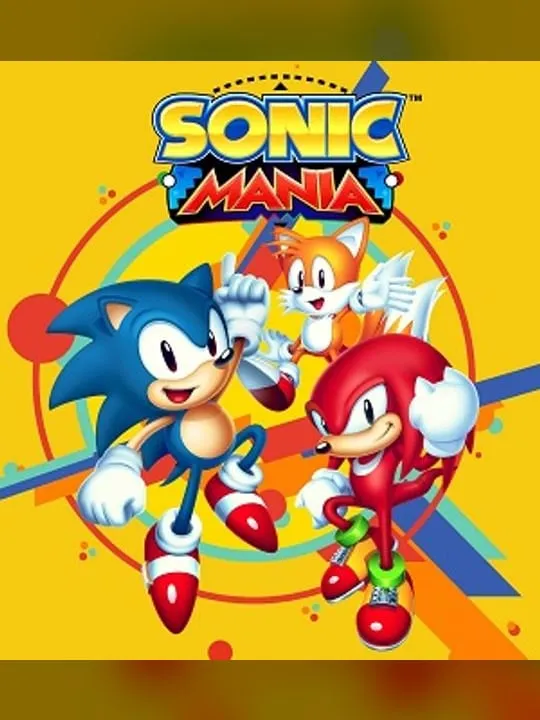
Sonic Mania is a 2017 platform game made for the 25th anniversary of the Sonic the Hedgehog series. Christian Whitehead led it, with PagodaWest Games and Headcannon handling art, level design, audio and extra programming, and Sega published it in August 2017 for the Nintendo Switch, PlayStation 4, Xbox One and Windows. The team came from the Sonic fan game and ROM hacking scene, and they built it on Whitehead’s Retro Engine to look like something between a Genesis and a Saturn game.
You play as Sonic, Tails or Knuckles across 13 zones, eight of them remixed from earlier games such as Green Hill Zone. Sonic has a new drop dash, Tails can fly and swim, and Knuckles glides and climbs. Rings keep you alive, giant rings lead to special stages where you chase a UFO for a Chaos Emerald, and bosses include Doctor Eggman’s Hard-Boiled Heavies. It became the highest-rated Sonic game in fifteen years. Sonic Mania Plus, released in July 2018, added more content.
How it runs in your browser
Pressing Play opens the port on GitHub Pages in a new tab. The page says Sonic Mania was “ported to the web by Crunch Arcade,” and it was uploaded by an account called UGBONTOP. It isn’t an emulator: the page loads an engine build named RSDKv5U, compiled to WebAssembly, and feeds it the game’s own data, which comes from jsDelivr in 14 pieces adding up to about 200 MB. There’s no account and no file to supply.
On 3 November 2026, in desktop Chrome, the data took about two and a half to three minutes to download on our connection. The game then reached the Sonic Mania Plus title screen, and pressing Enter opened the main menu with Mania Mode and Encore Mode. We didn’t start a zone. Several earlier attempts on the same connection froze at “Downloading part 14/14” because one piece failed, and the loader doesn’t retry. If the bar stops moving for a few minutes, reload the page.
The page copies your save file into the browser’s storage every few seconds, so progress should survive a reload on the same browser. When loading finishes, the page also reads a short credit aloud through your browser’s text-to-speech, so turn your volume down if that matters.
Controls and devices
The page doesn’t list any controls, only a Fullscreen button. In our check, Enter moved past the title screen, and the menus showed the A key to confirm and S to go back. Check the game’s options for the full key layout. Gamepads and touch screens aren’t mentioned, and we haven’t tried it on a phone or a Chromebook; with a 200 MB download, a desktop on a fast connection is the better bet.
Who it’s for
It suits fans of the Genesis games who want to revisit Mania’s remixed zones in a browser tab, as long as they have the patience for the download. For more classic 2D action in a browser, try Contra or Earthworm Jim.
Is Sonic Mania Free, Safe and Official?
Can I play Sonic Mania online for free?
An unofficial fan port runs Sonic Mania free in a browser tab, with no account and nothing to install. It isn’t made or endorsed by Sega, and the first load is about 200 MB.
Is this Sonic Mania or Sonic Mania Plus?
The title screen in our check read Sonic Mania Plus, the 2018 edition with extra content. We stopped at the title screen and didn’t check every mode.
Why is Sonic Mania stuck on Downloading part 14/14?
The loader fetches the game data in 14 pieces at once and doesn’t retry a piece that fails, so on a slow connection the bar can freeze. Reload the page and give it a few minutes.