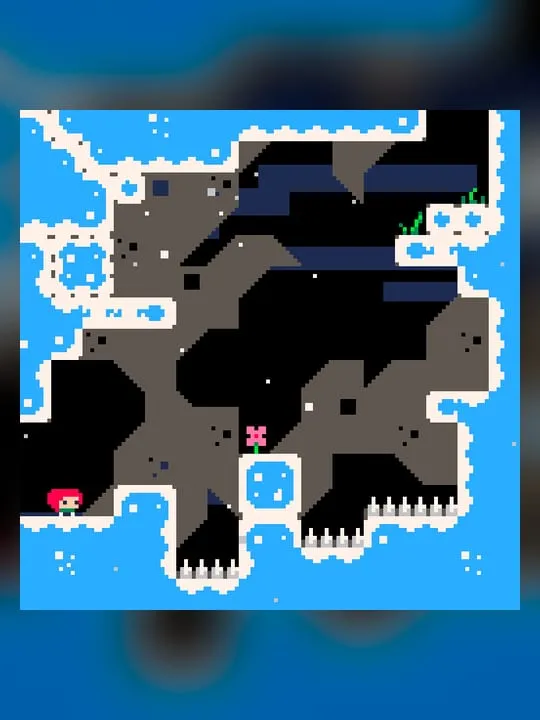
About Celeste Classic
Celeste Classic is the game that became Celeste. Maddy Thorson and Noel Berry made it in four days for PICO-8, a “fantasy console” whose games are tiny on purpose: the cartridge has to fit PICO-8’s strict limits on code, graphics and sound, and Noel Berry’s 2015 forum post says they used nearly all of the code space and the whole sprite sheet and map. After that, the pair expanded it into Celeste, the 2018 platformer, and the PICO-8 original was given its current name and hidden inside the full game as a minigame.
You climb a mountain one screen at a time, and each screen is labelled with its altitude, starting at 100 metres. The controls are few: you can run, jump, kick off walls, and dash once in the air in any of eight directions, with the dash coming back when you land. Spikes and gaps send you back to the start of the screen, so each one becomes a short puzzle about the order of jumps and dashes. A clock runs from the start, and strawberries are tucked away off the main path for players who want an extra challenge.
How it runs in your browser
Play opens the game on Lexaloffle’s PICO-8 forum, where Noel Berry posted the cartridge, in a new tab. The forum’s cart player runs it directly in the browser; you click the game to start it. The makers’ own itch.io page plays it in the browser too.
On 20 November 2026, in desktop Chrome, we clicked the cartridge on the forum page and the Celeste title screen appeared at once, with the mountain logo and “X+C” to start. Pressing X and C dropped us into the first screen, 100 M, and after a run and a jump to the right the altitude banner and a clock reading 00:00:06 appeared. We couldn’t open the itch.io page in our test, because itch.io rate-limited our connection.
Controls and devices
You play with the keyboard: arrow keys to move, C or Z to jump and X to dash. The game was made for a keyboard or gamepad, and we tested it on a desktop computer only. The PICO-8 player has touch buttons for phones, but we haven’t tried it on a phone or Chromebook.
Tips
- Your dash refills when you touch the ground, so plan each screen around where you can land.
- Dash diagonally to reach ledges a jump can’t: hold up and right together, then press X.
- Jump into a wall and press jump again to kick off it; walls are as useful as floors.
- Don’t chase strawberries on your first climb. Learn the route, then go back for them.
For more tough platforming, try The World’s Hardest Game or Geometry Dash, and for a bigger indie platformer, see Hollow Knight.
How to Play Celeste Classic: Controls
| Action | Keyboard & mouse |
|---|---|
| Move | Arrow keys |
| Jump (and wall jump next to a wall) | C (or Z) |
| Dash | X |
Is Celeste Classic Free, Safe and Official?
Can I play Celeste Classic for free?
Yes. Its makers released it free, and it plays in your browser on Lexaloffle’s PICO-8 forum and on their itch.io page, with nothing to download and no account.
Is Celeste Classic the same as Celeste?
No. Celeste Classic is the small PICO-8 game Maddy Thorson and Noel Berry made in 2015, and Celeste (2018) is the full game they built from it, with a story, many more levels and new mechanics. The original is hidden inside Celeste as a minigame, and its name, Celeste Classic, was given to it afterwards.
What are the controls in Celeste Classic?
Move with the arrow keys, jump with C and dash with X. You can dash in any of eight directions, once in the air, and the dash comes back when you land. Jumping next to a wall makes you kick off it.
Is there a sequel?
Yes. Celeste 2: Lani’s Trek, another PICO-8 game, came out in 2021 for Celeste’s third anniversary, and Celeste 64: Fragments of the Mountain, a short 3D game, followed in 2024.