About NovSky Beta Mix
NovSky Beta Mix is a small, cheerful platformer about a little red ninja, made for the browser and still growing; the developer, who sent it to us, says the Beta Mix name reflects a game that keeps evolving. Its site holds a handful of short modes, including an endless runner, a Sky rise mode, a Snow workshop and an Ember heist trial, and its main finished adventure is the Lantern Festival.
In the Lantern Festival you carry an ember across a festival town, under strings of paper lanterns, to light a beacon at the far end. The rooftops are linked by springy drums marked with arrows: walk onto one and it launches you, and you steer in the air with left and right. Some stretches let you choose between a lower lane and a sky shortcut. Guards and snowballs get in the way, and you can throw a shuriken at a guard with F or bat snowballs away with E. Three lantern tokens are hidden along the route for players who want them, two checkpoints save your progress, and there’s no clock.
The site is in English and Thai, plays original music you can mute, and has a reduce-motion option.
How it runs in your browser
NovSky Beta Mix is made for the browser, so there’s nothing to install. Play opens the Lantern Festival on the game’s own site in a new tab. No account is needed, and your best results are saved in your browser; the site offers optional accounts separately.
On 23 November 2026, in desktop Chrome, the Lantern Festival opened with an intro card and a Start festival button. We pressed it and held right: our ninja bounced off the first arrow drum and sailed along the rooftops. By the end of our short run we had picked up 2 of the 3 lantern tokens, the bar read “Checkpoint 1 saved”, and the second checkpoint flag was just ahead. We didn’t reach the beacon.
Controls and devices
On a computer you move with the left and right arrows or A and D, jump with Space, Up or W, throw with F, deflect with E and pause with P or Esc. On a phone or tablet the same actions are on-screen buttons. The site says it plays on phones and desktops; we tested on a desktop computer and haven’t tried a phone or Chromebook.
Tips
- Let the drums do the work: hold right to soar further, and tap left to slow down before a landing.
- The lower lane is safer; save the sky shortcut for when you’re comfortable with the bounces.
- Don’t worry about missed landings, since checkpoints keep the tokens you’ve already collected.
- Tokens are optional. If one is awkward to reach, skip it and come back on another run.
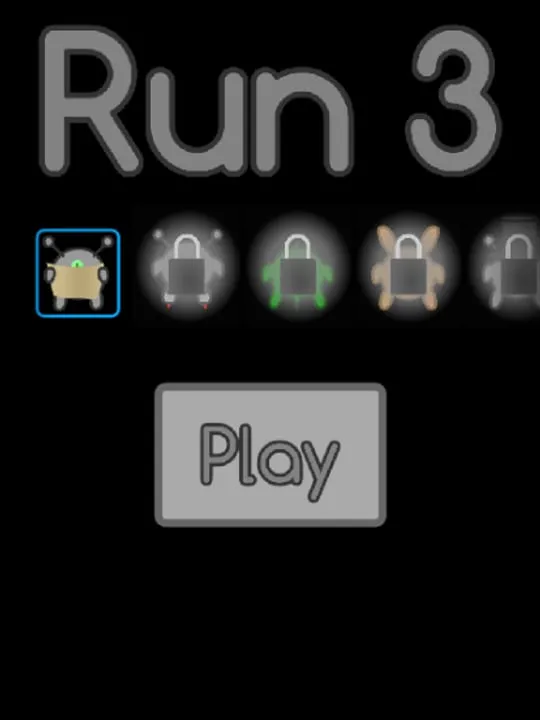
For another platformer to play in a browser tab, try Celeste Classic, and for a quick arcade challenge, Stickman Hook or Run 3.
How to Play NovSky Beta Mix: Controls
| Action | Keyboard & mouse | Touch |
|---|---|---|
| Move and steer in the air | Left / Right or A / D | On-screen arrow buttons |
| Jump | Space, Up or W | Jump button |
| Throw a shuriken at a guard | F | Throw button |
| Deflect snowballs | E | Deflect button |
| Pause | P or Esc | Not listed |
Is NovSky Beta Mix Free, Safe and Official?
Is NovSky Beta Mix free?
Yes. It’s free in your browser with no download and no sign-up, and the site says it shows no ads. Accounts are optional and separate from play.
Why is it called a beta?
The game is still being built, and the Beta Mix name reflects that. The site already has several modes, from an endless runner to trial levels, and the Lantern Festival adventure has a finish you can reach.
How do you beat the Lantern Festival?
Carry your ember across the rooftops to the beacon at the end. The three lantern tokens on the way are optional, two checkpoints keep your tokens if you miss a landing, and there’s no time limit.
Can I play it on a phone?
The site has on-screen buttons for moving, jumping, throwing and deflecting, and says it plays on phones as well as computers. We only tested it on a desktop computer.