About Bloons TD 6
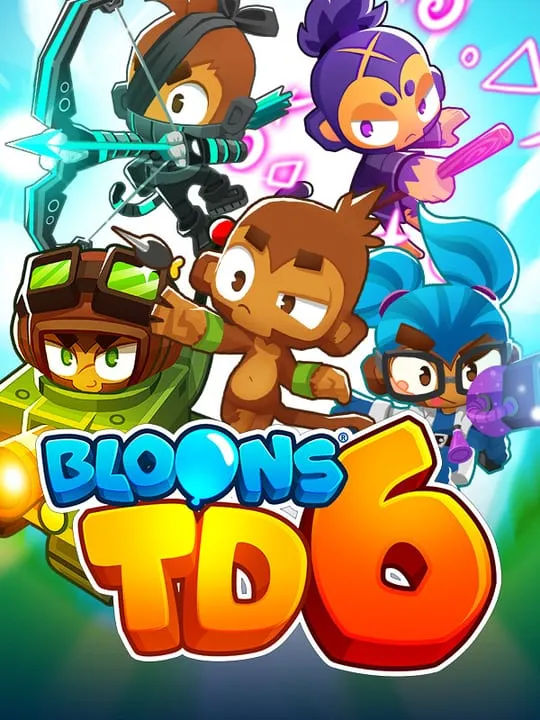
Bloons TD 6 is a tower defense game from Ninja Kiwi, a studio in New Zealand. It came out in June 2018 on iOS and Android and reached Steam for Windows that December. Versions for Mac, Xbox One, PlayStation 4 and Nintendo Switch followed in later years. It’s the sixth main game in the Bloons Tower Defense series, and the first one in 3D.
Each map has a track, and waves of balloons called Bloons float along it. Your job is to pop them before they reach the end. You place monkey towers beside the track, such as dart monkeys, ninjas, wizards, snipers, submarines and banana farms that earn extra money, and each tower can be upgraded along three paths. Later rounds bring Bloons that need specific answers: camo Bloons that only some towers can see, lead Bloons that shrug off sharp darts, and huge MOAB-class blimps that split into more Bloons when they burst.
Heroes are special towers that level up during a game and bring their own abilities. The full game also has boss events, Paragon towers, a long list of maps and difficulty modes, and online co-op for up to four players.
How it runs in your browser
This is an unofficial web port of the game’s Unity build. wasm.rip credits it to a porter known as sexyplankton, and its files are published on GitHub Pages, which is where the player on this page loads it from. wasm.rip lists the port too, but on 16 November 2026 its copy stopped on the loading screen because some of the game’s files failed to load, so we use the GitHub Pages copy.
The first load is large, about 380 MB. On 16 November 2026, in desktop Chrome, the port took about five minutes to download, then ran through Ninja Kiwi’s own loading screen, from “Step 1 of 10” to “Step 10 of 10”, and opened the “Welcome to Bloons TD6” title screen, marked version 56.3. Pressing Start opened the game’s first-time introduction, with a monkey announcing that “The Bloons have taken over your Town!” and a Take It Back button.
Saving isn’t listed as supported, so don’t count on unlocks or progress surviving a closed tab. The official game’s online features, such as co-op, events and cloud saves, aren’t listed for this port either, so treat it as a single-player version.
Controls and devices
Bloons TD 6 is played mostly with the mouse: click a tower in the side panel, place it beside the track, then click it to buy upgrades. The PC version also has keyboard shortcuts for placing towers and buying upgrades, and the space bar starts the next round. Use a computer for this port. Phones aren’t listed as supported, and the download is heavy for a phone anyway.
Tips
- Put towers where the track bends or passes by more than once, so they get more shots at each wave.
- Plan ahead for camo and lead Bloons. Some towers can’t see camo or pop lead until they’re upgraded.
- Banana farms cost money early but pay for themselves over a long game.
- Upgrade a few strong towers rather than spreading your money across many weak ones.
Who it’s for
It suits anyone who likes tower defense, from younger players to people chasing the hardest modes. If you remember the older Bloons TD games from Flash sites, some are still playable in our Flash games collection, which includes Bloons TD 4. The official Bloons TD 6 is the version to buy for saves, co-op and the full set of updates.
Is Bloons TD 6 Free, Safe and Official?
Is this the official Bloons TD 6?
No. It’s an unofficial fan web port and isn’t made or endorsed by Ninja Kiwi. The official game is sold for phones, PC, Mac and consoles.
Is there an official browser version of Bloons TD 6?
No. The first five Bloons TD games were Flash games played in a browser, but Bloons TD 6 was made as an app for phones and computers, and Ninja Kiwi hasn’t released a web version.
Why does Bloons TD 6 take so long to load?
The port downloads about 380 MB of game files before the title screen appears. When we tested it, that took about five minutes, so expect a wait on the first visit.
Does Bloons TD 6 save in the browser?
Saving isn’t listed for this port, so your progress and unlocks may be lost when you leave the page.