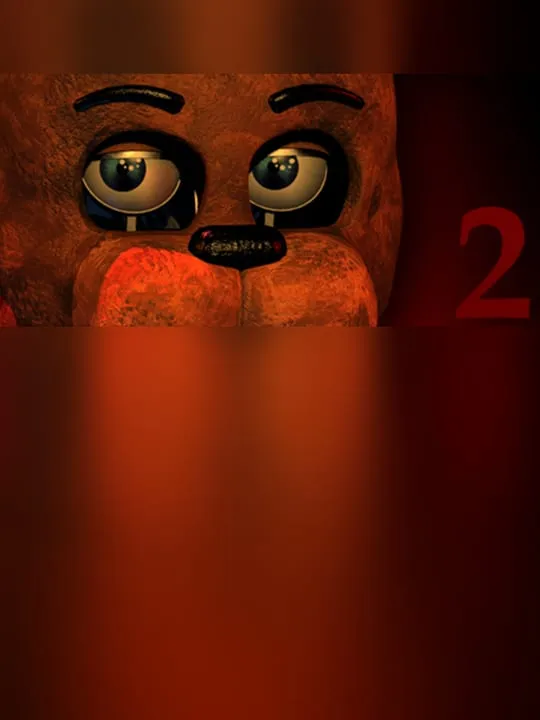
About Five Nights at Freddy’s 2
Scott Cawthon released Five Nights at Freddy’s 2 on 10 November 2014, three months after the first game and earlier than its planned Christmas date. It came to phones later that year and to the Nintendo Switch, PlayStation 4 and Xbox One in November 2019.
You’re back on the night shift at Freddy Fazbear’s Pizza, which has reopened with a new cast of shiny “Toy” animatronics, while the battered originals sit in the back. This time your office has no doors. Instead you have a Freddy Fazbear mask that fools most of the animatronics, a flashlight with a limited battery for the dark hallway in front of you, two air vents with their own lights, and a camera system. On CAM 11 there’s a music box that has to be wound regularly, or the Puppet comes out.
Each night runs from 12 AM to 6 AM, and every night is harder than the last. Between nights, phone calls from your predecessor and short Atari-style minigames hint at the restaurant’s dark history. The game received mixed reviews: critics liked its atmosphere, story and scares, and found it much harder than the first game.
How it runs in your browser
This is a fan-made browser version, hosted on fnaffree.io with no connection to Scott Cawthon. It rebuilds the game around the original art: the menus and some on-screen text are the port’s own, and it adds a set of tip cards on the first night. Pressing Play opens the page in a new tab, where you press Play again and click past the warning screen. There’s nothing to download or install.
On 18 November 2026, in desktop Chrome, the game opened on the original warning about flashing lights, loud noises and jump scares. Clicking through led to the title menu with New Game and Continue, plus the 6th Night, Custom Night and Extras, each locked until you beat Night 5. New Game showed the “Help Wanted” newspaper ad for the pizzeria’s grand reopening and then started Night 1 in the office at 12 AM, with the flashlight battery, the Mute Call button and a tip card reading “Move the mouse to an edge to look around. No doors here: two vents and a hallway.”
According to the host, this version includes the five main nights, the 6th Night, a Custom Night with ten animatronics and preset challenges, the hidden minigames and an Extras menu. We only played the start of Night 1.
Controls and devices
You play with the mouse and keyboard. The host lists keys for everything:
- Left and Right arrows, or the mouse at the screen edge: look around the office
- Space or S: raise or lower the camera
- Q: put on or take off the Freddy mask
- F or Ctrl: flashlight
- A and D: left and right vent lights
- E: wind the music box on CAM 11
- 1–9, 0, - and =: pick a camera
- M: mute the phone call
The host says it works on desktops, tablets and phones. We only tested a desktop computer.
Tips
- Wind the music box every time you open the cameras. Once it runs down, the Puppet can’t be stopped.
- Check both vent lights before you raise the camera, and have the mask ready the moment something appears in the office.
- Flash the hallway in short bursts: the battery doesn’t recharge during the night.
- Headphones help. Many threats are easier to hear than to see.
New to the series? Start with Five Nights at Freddy’s, or see every game on the Five Nights at Freddy’s series page. For another horror game in the browser, try Granny 3.
How to Play Five Nights at Freddy's 2: Controls
| Action | Keyboard & mouse |
|---|---|
| Look left or right | Left / Right arrow keys, or move the mouse to an edge |
| Raise or lower the camera | Space or S |
| Put on or take off the Freddy mask | Q |
| Flashlight | F or Ctrl |
| Left / right vent light | A / D |
| Wind the music box (on CAM 11) | E |
| Pick a camera | 1–9, 0, - and = |
| Mute the phone call | M |
Is Five Nights at Freddy's 2 Free, Safe and Official?
Is this the official Five Nights at Freddy’s 2?
No. It’s a fan-made browser version on fnaffree.io, built around the original game’s art, and it isn’t made or endorsed by Scott Cawthon. The official game is sold on Steam, phones and consoles.
Is FNAF 2 free to play here?
Yes. The page is free with nothing to download and no account. The site shows ads around the game.
Is FNAF 2 scary for kids?
It’s a horror game built on sudden jump scares: an animatronic lunges at the screen with a loud scream when you lose. There’s no gore, but it’s meant to startle, so it suits older kids and teens better than young children.
How do you survive without doors in FNAF 2?
Put on the Freddy mask when an animatronic gets into the office, shine the flashlight down the hallway to drive off the old Foxy, and keep the music box on CAM 11 wound so the Puppet stays put. The mask doesn’t work on Foxy or the Puppet.