About Superflight
GrizzlyGames released Superflight on Steam for Windows in November 2017. The studio was three game design students at HTW Berlin, who built it in about three months as part of their bachelor’s course and took it to Steam after it was nominated at indie game events. It has stayed a Windows-only game.
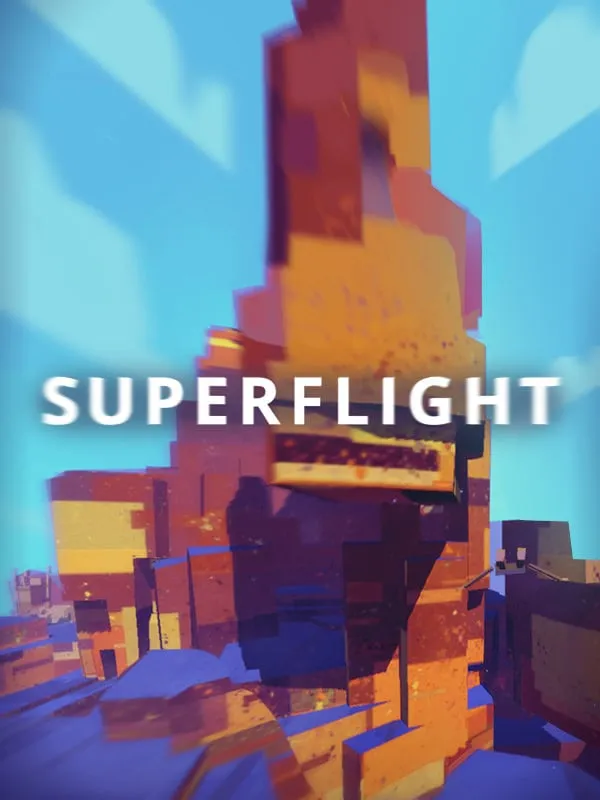
You fly a wingsuit down colorful, rocky mountains. There are no enemies, weapons or story, just the terrain and your line through it. Points come from risk: flying close to the rock builds a combo that ends when you pull away, and threading narrow tunnels or flying through portals adds bonuses. Portals also carry you on to a fresh mountain. Hitting the rock ends the run, and you start that map again from the top.
The maps are procedurally generated, so there’s no fixed course to memorize. Every map has a seed code, which you can save and share so someone else can fly the same mountains. The Steam page lists online leaderboards and makes a point of what the game leaves out, such as guns, loot boxes, a leveling system and a cinematic story. On Steam it holds an Overwhelmingly Positive rating from nearly 8,000 English reviews.
How it runs in your browser
This is an unofficial web port by zay, listed on wasm.rip. It’s a Unity WebGL build of the PC game, and pressing Play opens the wasm.rip page in a new tab. The download is about 18 MB, far smaller than most ports on this site.
The page shows nothing but the game: no instructions, settings or save options are listed. Whether the port keeps the PC version’s online leaderboards isn’t stated.
Controls and devices
The controls are simple by design, and Steam describes them as fast and intuitive: you steer the wingsuit left and right and tip it between diving and gliding. The page doesn’t list the key bindings. On PC the game is played with a keyboard or mouse, and Steam lists partial controller support, but whether a gamepad works in the port isn’t stated. Use a desktop or laptop; phones haven’t been tested.
Who it’s for
It suits players who want a quick session rather than a long commitment. Steam pitches it as a game for half an hour of relaxing and chasing a high score, and the endless maps mean there’s always a new one to try. Score chasers will like the combo system, and players who just want to glide through pretty scenery can ignore the numbers. The small download also makes it a good pick on a slow connection.
Is Superflight Free, Safe and Official?
How do you score points in Superflight?
Fly close to the rock. Staying near the terrain builds a combo that ends when you pull away, and flying through tunnels and portals adds bonus points. Touching the mountain ends the run.
Are the maps different every time?
Yes. Maps are generated procedurally, and in the PC game each one has a seed code you can save or share so someone else can fly the same mountains.
Is this the official Superflight?
No. It’s an unofficial fan web port by zay, hosted on wasm.rip, and it isn’t made or endorsed by GrizzlyGames. The official game is sold on Steam for Windows.