About Super Mario Galaxy
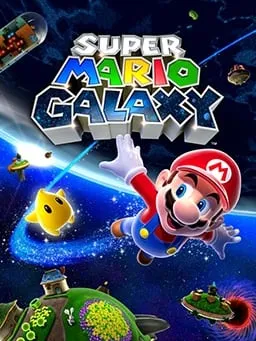
Super Mario Galaxy is a 3D platformer that Nintendo EAD Tokyo made for the Wii. It came out in Japan on 1 November 2007 and in North America, Europe and Australia later that month. Yoshiaki Koizumi directed it, and Mahito Yokota and Koji Kondo wrote a score recorded with a symphony orchestra, a first for the series.
Mario travels through space to rescue Princess Peach from Bowser, collecting Power Stars across 42 galaxies reached from a hub ship, the Comet Observatory. Each small planet has its own gravity, so you can run all the way around it, walk upside down and leap from one world to the next. On the Wii you pointed at the screen to collect and shoot Star Bits, and a spin move stuns enemies and launches Mario from Launch Stars. Collecting all 120 stars unlocks Luigi. It sold 12.80 million copies and was the first Nintendo game to win the BAFTA for Best Game.
How it runs in your browser
This isn’t an emulator. T4ctica1 built the port from Petari, a community decompilation of the game, and GalaxyQuest, a VR port, then compiled it to WebAssembly with Emscripten. It draws with WebGL 2. The copy we link is hosted on HedgePlays2’s GitHub Pages, and pressing Play opens it in a new tab. The host supplies the game data, so you don’t need a disc image or an account.
The download is big. Before the game starts the first time, the port fetches the game data, about 1.1 GB in twelve pieces, and stores it in the browser, so later visits start much faster and a download cut short picks up where it stopped. The opening and ending movies add about 2.3 GB, and a start window lets you switch them off and preload graphics so effects don’t stutter.
On 3 November 2026, in desktop Chrome, our first visit spent about ten minutes downloading and got a little past half of the game data. A second visit picked up from there and reached the title screen, with “Press both A and B,” “© 2007 Nintendo” and a “Web Port by T4ctica1” credit, within about a minute. We didn’t go further.
Saves stay in the browser, and the Saves tab can export them. Other settings raise the resolution, widen the picture or unlock Luigi from the start.
Controls and devices
The keyboard stands in for the Wii Remote and Nunchuk. W, A, S and D move, Space jumps, F shoots Star Bits, E spins, Left Shift crouches and ground-pounds, Q centres the camera and Enter pauses. The mouse acts as the pointer: left click shoots Star Bits and right click spins. Every key can be changed, and a gamepad tab maps a controller. Touch screens get on-screen controls, with an option to tilt the device for the Star Ball and Ray surfing stages. We haven’t tried it on a phone, and the download size makes a desktop the better choice.
Who it’s for
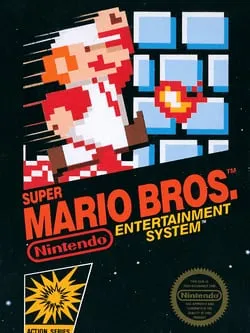
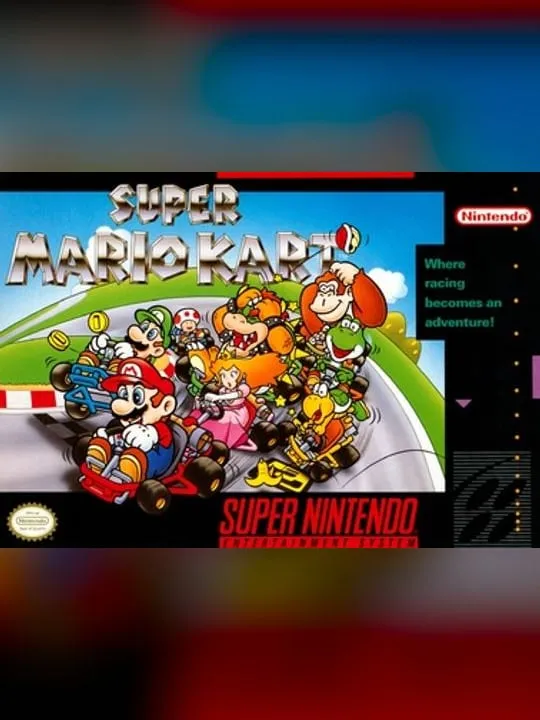
It suits players with a fast connection who want to revisit Galaxy without a Wii. For 2D Mario, Super Mario Bros. loads in seconds, and Super Mario Kart ZX remakes the first Mario Kart.
Is Super Mario Galaxy Free, Safe and Official?
Can I play Super Mario Galaxy online for free?
A fan port runs Super Mario Galaxy free in a browser tab, with no account and no disc image to supply. It’s unofficial and isn’t made or endorsed by Nintendo.
Is this a Wii emulator?
No. The port is rebuilt from Petari, a community decompilation of the game’s code, and compiled to WebAssembly, so the game runs in the browser without an emulated Wii.
How big is the Super Mario Galaxy download?
Before the game starts the first time, the port downloads about 1.1 GB of game data and keeps it in your browser’s storage for later visits. The opening and ending movies add about 2.3 GB, and you can switch them off in the start window.