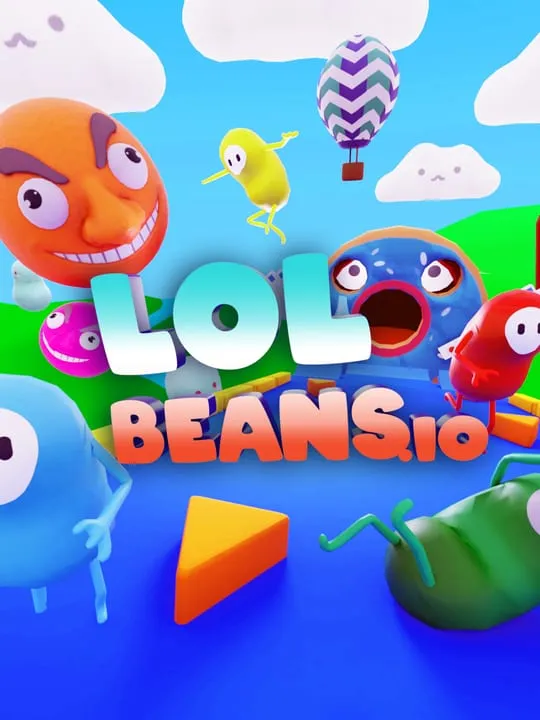
About LOLBeans
LOLBeans is a free online party game in which a crowd of jelly beans races through obstacle courses. Each match of the main Battle Royale mode has up to 30 players and three rounds. Spinning bars, falling floors, swinging hammers and other players all try to knock you off the course, and the slowest beans are eliminated after every round until one winner takes the crown.
The game first went online in October 2020 and has added maps steadily since, from Risky Cliffs and Tricky Traps to Lava Lake, Monster Manor, Escape Tsunami and, in September 2026, Neon City. A 1-2-3 Red Light map joined in 2021. Besides Battle Royale there’s Tag, an 8-player chase game in a small arena; Community Levels, built by players in the game’s level editor as timed races, competitive races, elimination levels or sandboxes; the Lounge, for hanging out and chatting; and the Level Editor, which friends can use together.
Playing earns coins and experience, and coins buy skins, colours and hats. Leaderboards track the most wins over a period, and a profile page keeps your wins and best race times.
LOLBeans is made by Exodragon, the studio formerly known as Big Boss Dolphin, which also makes browser games such as Hexanaut.io, Yohoho.io and Defly.io.
How it runs in your browser
LOLBeans is made for the browser, so there’s nothing to install. Play opens the game on its own site in a new tab, where you type a name, pick a mode and press Play; you can play as a guest. Signing in with Google, Facebook or an email address is optional and keeps your skins and stats. The site shows ads, and its shop sells coins, colour packs and bundles that include ad-free months, from $0.99. The in-game chat is for players aged 13 and over, and can be switched off in the settings.
On 17 November 2026, in desktop Chrome, we typed a name and pressed Play with Battle Royale selected. After a short loading screen the game dropped us onto the start line of Neon City with other beans, a race timer and a qualified-players counter. The first visit takes a little while to load the 3D game.
Controls and devices
You run with WASD or the arrow keys, jump with Space or the right mouse button, and look around with the mouse. The site says gamepads work too: plug one in and press any button. On phones and tablets it uses an on-screen joystick. We tested it on a desktop computer; we haven’t tried it on a phone or Chromebook.
Tips
- Watch the beans ahead of you. Their falls show you which platforms are about to drop.
- Don’t stop at the back of a crowd at a narrow gap; jump around the edge instead.
- In 1-2-3 Red Light, stop the moment the light changes, even if you’re mid-run.
- Turn down shadows and screen resolution in the settings if the game stutters on an older computer.
For more party games to play online, try Among Us or Crashout Crew, and the multiplayer page lists more games to play with friends.
How to Play LOLBeans: Controls
| Action | Keyboard & mouse |
|---|---|
| Run | WASD or arrow keys |
| Jump | Space or right-click |
| Look around | Mouse |
| Chat | Enter |
Is LOLBeans Free, Safe and Official?
Is LOLBeans free to play?
Yes. LOLBeans is free in your browser with no download, and you can play as a guest. The site shows ads, and a shop sells coins, skin colours and packs that include ad-free months; coins can also be earned by playing.
How does a LOLBeans match work?
Battle Royale puts up to 30 players into three rounds of obstacle races. The slowest players are knocked out after each round, and the last bean standing wins the crown.
Can I play LOLBeans with friends?
Yes. Party lets you create a room code to share, and friends who enter it join your party. You can then race together in public matches, build in the level editor or hang out in the Lounge.
What other modes does LOLBeans have?
Besides Battle Royale there’s Tag for 8 players, Community Levels made in the built-in editor (timed races, competitive races, elimination and sandbox levels), the Lounge for chatting, and the Level Editor itself.