About Lugaru
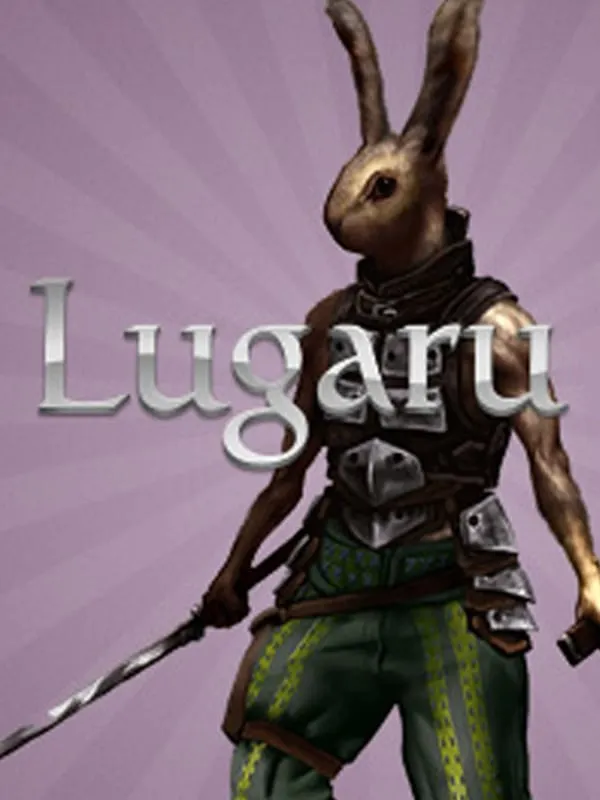
Lugaru: The Rabbit’s Foot was the first commercial game from indie developer Wolfire Games, with David Rosen credited alongside the studio. It came out for Mac OS X in January 2005, for Windows that May and for Linux in August. You play an anthropomorphic rabbit who takes on wolves and hostile rabbits in 3D, using a wide range of combat techniques. The name is a phonetic spelling of “loup-garou,” French for werewolf.
Reviews were good, and the game found a following in the shareware community, particularly among Mac users. Wolfire later released its code under the GPL v2 and its data under a Creative Commons license, which is why a complete browser version can exist without any of the original commercial files. A sequel, Overgrowth, followed in 2017.
How it runs in your browser
Lugaru-Web is an independent fork by Logan Walker, built on the open-source Lugaru codebase and on Ryan Deering’s earlier Loupgarenne WebAssembly work. It isn’t a rewrite. The same C++ engine is compiled to WebAssembly with Emscripten, and web-only changes are kept separate from the shared game code. The current release is Lugaru-Web 1.0.0, which runs version 1.3 of the engine. Pressing Play opens the project’s page in a new tab.
This first release is about preservation rather than new features. It includes the Original Campaign, the Tutorial, the Challenges, and the Temple, Empire and Seven Tasks campaigns, and it repairs content that later changes had altered by accident. Not every line is original, though: the ending text of the Temple campaign is new writing for Lugaru-Web, replacing a placeholder added in 2017. Saves go into your browser’s IndexedDB storage, and changed settings are kept for later visits.
The project lists its own limits. The original motion blur is missing, a level can briefly freeze the browser while it loads, and the game always starts in a window because browsers allow fullscreen only after a user action. Chrome and Firefox got most of the testing, and Safari hasn’t been release-tested yet.
Controls and devices
On a keyboard and mouse, Lugaru’s original controls work and can be rebound from Options, then Controls; the mouse moves the camera and drives the menus. On a controller, the left stick moves and the right stick turns the camera. Cross or A jumps, Circle or B crouches, Square or X draws or sheathes a weapon, R1 attacks and L1 throws or picks things up. Options or Start pauses. Typing an account name still needs a keyboard, and phones aren’t listed as supported.
Who it’s for
It’s for anyone curious about the original game that came before Overgrowth, and for players who like close-up melee combat. Like Micropolis, it’s a complete open-source game you can start in a tab.
Is Lugaru Free, Safe and Official?
Is Lugaru free to play?
Yes. Wolfire Games open-sourced Lugaru’s code and data, and Lugaru-Web runs that open-source game in a browser tab with nothing to install and no original game files.
Can I play Lugaru with a controller?
Yes. Lugaru-Web adds controller support: the left stick moves, the right stick turns the camera, Cross or A jumps and R1 attacks. Firefox with a wired DualSense is the most tested setup, and Chrome has worked through the browser’s Gamepad API.
Does Lugaru save my progress in the browser?
Yes. Lugaru-Web keeps saves in your browser’s IndexedDB storage and reuses your settings on later visits. Clearing the site’s data in your browser would remove them.