About GTA: Chinatown Wars
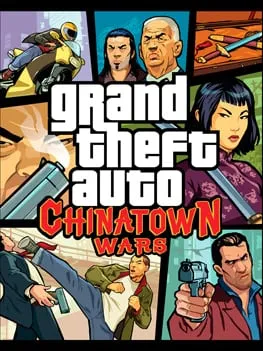
Rockstar Leeds developed Grand Theft Auto: Chinatown Wars with Rockstar North, and Rockstar Games released it in 2009, first on the Nintendo DS and later that year on the PSP. It returns to the Liberty City of Grand Theft Auto IV but shows it from above, closer to the series’ early top-down games.
You play Huang Lee, a young Triad member who arrives in the city to hand over his late father’s sword, only to be ambushed, robbed and left for dead. Getting the sword back drags him into a power struggle among Liberty City’s Triads. The game is also known for its drug-dealing side trade, where you buy cheap in one part of the city and sell high in another.
How it runs in your browser
This is the PSP version, running in a browser through a fan site at gta-chinatown-wars.pages.dev. It opens there in a new tab.
Around 900 MB of game data has to download before the first start, so expect a wait. After that, your progress is saved on the device you play on, so you can return in the same browser and keep going. Clearing your browser data or switching devices will likely mean starting over.
The server that holds the game data has a daily limit. Once it’s reached, the game can’t load until the limit resets, and you’ll see a message reading “Could not connect to game data”. If that happens, try again later.
Controls and devices
Play on a computer with a keyboard. Phones aren’t supported, and controller support isn’t listed. The host doesn’t publish a key list, so check the on-screen prompts and the settings menu once the game starts.
Tips
- Start the first download on a fast connection, since 900 MB can take a while.
- Stick to the same browser on the same device so your saves stay with you.
- If you hit the game data error, the problem is the server’s daily limit, not your browser. Waiting is the fix.
- No online play is included, so this is a single-player experience from start to finish.
Is GTA: Chinatown Wars Free, Safe and Official?
Does GTA: Chinatown Wars save in the browser?
Yes. Progress is stored on the device you play on, so come back in the same browser to continue.
Why do I see “Could not connect to game data”?
The server that delivers the game files hits a daily limit and shows this error until the limit resets. Try again later.
Can I play it on my phone?
No. This version is listed for computers only. Use a desktop or laptop with a keyboard.