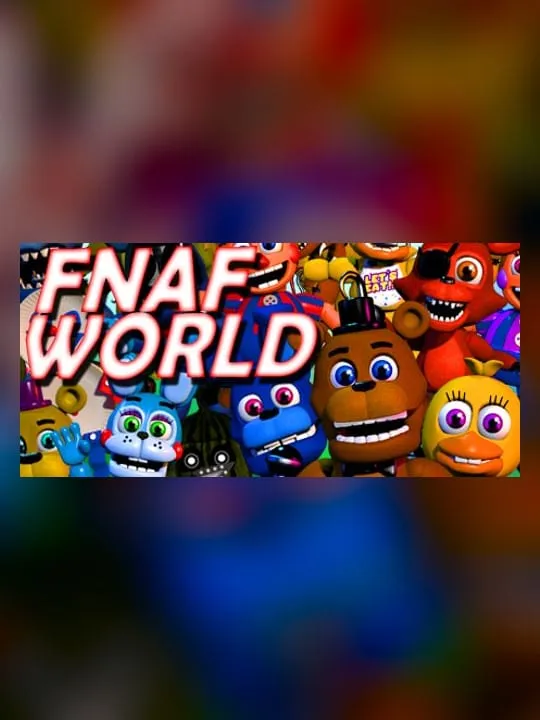
About FNaF World
FNaF World is the first spin-off of Scott Cawthon’s Five Nights at Freddy’s series. It’s a role-playing game built in Clickteam Fusion, with music by Leon Riskin, and it swaps night shifts and jump scares for a cartoon world full of the series’ animatronics.
Cawthon released it on Steam on 21 January 2016, a day earlier than planned. Players and critics complained that it felt unfinished, so Cawthon apologised, pulled it from Steam and offered refunds. On 8 February 2016 it came back as a free download on Game Jolt, with a new overworld and other additions, and a second big update followed in May 2016. Reviews stayed mixed, with common complaints about repetitive battles, frequent loading screens and a thin story.
You lead two teams of four animatronics, with 48 characters to collect in all. Walking around the overworld triggers random battles, in which each character picks one of three attacks when it’s ready and four fighters take part at a time, with the other four in reserve. Winning battles earns experience and Faz-Tokens to spend on upgrades, and beating some characters adds them to your collection. Chips found in chests and Bytes bought in shops give extra abilities, and there are boss fights and several minigames along the way.
How it runs in your browser
This is a browser version of the game, hosted on fnaffree.io with no connection to Scott Cawthon. Pressing Play opens the page in a new tab, where you press Play again and then click to start. There’s nothing to download or install, but the game loads its art and music first, so give it a minute or two.
On 20 November 2026, in desktop Chrome, the game took a couple of minutes to load on our slow connection. It opened on a warning about flashing lights and a list of the keys, then a short black-screen prologue before the title screen, which showed version 1.24 and Update 2. We picked an empty save slot, chose New Game and Adventure mode, and kept the starting party of eight on the character grid. After an opening scene in which Fredbear and Freddy talk about something being wrong in their world, we were in Fazbear Hills, with a tip card explaining that battles start when you walk through the grass and buttons for Party, Chips, Bytes and Save along the bottom. Walking a few steps took us into Mendo’s armour shop, where we had no Faz-Tokens to spend yet. We didn’t get as far as a battle.
According to the host, this version has three save files, Adventure and Fixed Party modes, a Normal and a Hard mode (enemies are twice as strong, with double the experience and Faz-Tokens), 11 lands to explore, 21 Chips, 21 Bytes and three types of armour. It says your progress is saved in your browser.
Controls and devices
You play with the keyboard and mouse. The host lists these controls:
- WASD or the arrow keys: walk around the world
- Mouse click: choose attacks, menus and shop items
- Enter or Space: advance text
- Tab (hold): show the map
- R (hold): run from a random battle
- The lower-right corner in battle: swap your active team
- Esc: back to the start screen
The host says it works on phones and tablets too. We only tested a desktop computer.
Tips
- Swap your two teams of four often in battle, so both groups gain experience and a weakened team gets a rest.
- Open every chest you pass: Chips give lasting bonuses, such as extra lives or stronger stats.
- Hold R to run from battles you don’t need when you just want to explore.
- Try Hard mode once you know the game; it doubles the rewards as well as the danger.
New to the series? Start with Five Nights at Freddy’s, or see every game on the Five Nights at Freddy’s series page. For another FNAF game with no night shift in sight, try the 8-bit minigames between the nights of Five Nights at Freddy’s 4.
How to Play FNaF World: Controls
| Action | Keyboard & mouse |
|---|---|
| Walk around the world | WASD or the arrow keys |
| Choose attacks, menus and shop items | Mouse click |
| Advance text | Enter or Space |
| Show the map | Hold Tab |
| Run from a random battle | Hold R |
| Swap your active team in battle | Click the lower-right corner |
| Back to the start screen | Esc |
Is FNaF World Free, Safe and Official?
Is this the official FNaF World?
No. It’s a browser version hosted on fnaffree.io, and it isn’t made or endorsed by Scott Cawthon. The official game is a free Windows download that Cawthon has offered on Game Jolt since February 2016.
Is FNaF World a horror game?
Not really. It’s a bright, cartoonish role-playing game starring the series’ animatronics, with turn-based battles instead of night shifts. There are a few eerie moments, but none of the jump scares the main games are known for.
How many characters can you collect in FNaF World?
There are 48. You build a party of eight, four of whom fight at a time while the other four wait in reserve, and you can swap the two groups during a battle.
Does FNaF World save my progress?
Yes. The game has three save slots, and the host says progress is kept in your browser. Clearing your browser data or playing in a private window loses it.