About Snowball Fight
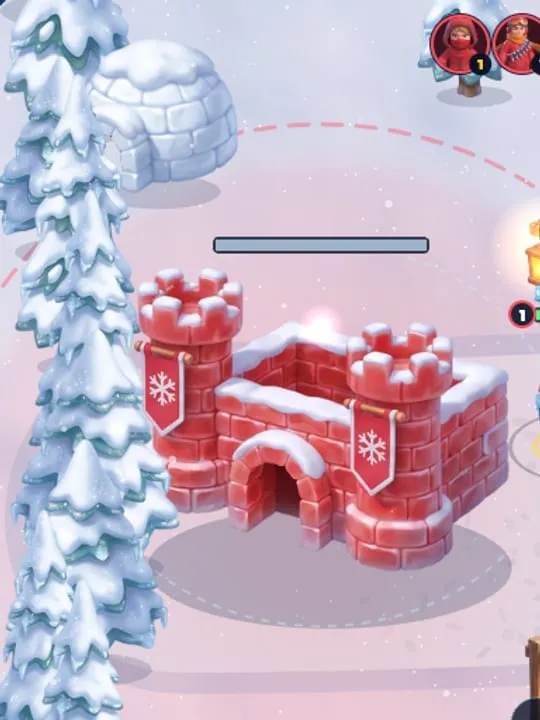
Snowball Fight is a free team game in which two sides of three battle down a snowy lane. Like the lane-pushing games it borrows from, each team has two towers and a home base, here a Snow Fort, and waves of small helpers march toward the enemy. You fight alongside them, knock down the towers in your way and win by destroying the other team’s Snow Fort. If the 8-minute clock runs out first, the match ends on time and can finish as a draw.
The red side is the Snowball Kids and the blue side is the Arctic Critters, and each has six heroes that mirror each other’s roles:
- Bruiser: Frostbite, or Bergie the Polar Bear
- Marksman: Sleet, or Slick the Penguin
- Mage / Support: Flurry, or Aurora the Snowy Owl
- Assassin: Icepick, or Vix the Arctic Fox
- Support: Mittens, or Walter the Walrus
- Siege: Boomer, or Splash the Seal, who lob heavy snowballs from afar and wreck towers
Every hero throws snowballs with the mouse and has three abilities on Q, E and R. Heroes level up during a match, and the third ability unlocks at level 3.
The game is made by Swiftmade OÜ, a software company in Tallinn, Estonia, which sent the game to us.
How it runs in your browser
Snowball Fight is made for the browser, so there’s nothing to install. Play opens the game on its own site in a new tab. You type a name and choose Quick Play, a Private room with an invite link, or Practice against a dummy. The game picks a server near you, with servers in Europe and the US, and you can switch region from the menu.
On 18 November 2026, in desktop Chrome, we typed a name and pressed Play. Quick Play opened the hero picker with a short countdown, with bots filling the empty seats on both teams, and we picked Frostbite. The match started straight away on the snowy map: the clock read 7:58 with the score at 0–0, our red Snow Fort and a tower stood in view, and the hero bar showed the snowball throw and the three abilities, with the last one locked until level 3. We didn’t see any ads.
Controls and devices
You play with a keyboard and mouse: WASD to move, the mouse to aim, hold the left button to throw, and Q, E and R for abilities, which land where you aim. Tab shows the scoreboard, Esc opens the menu, and M, N and F mute the sound, turn the music off and go full screen. Its makers say it’s a desktop game, and we only tested it on a desktop computer.
Tips
- Try each hero in Practice first; the dummy lets you learn ranges and cooldowns without pressure.
- Stay near your helpers when you push a tower. Towers hit hard, and they target whoever walks in alone.
- Bring a Siege hero to break towers from a distance while teammates keep enemies busy.
- Watch the minimap in the corner so an enemy can’t slip past to your fort.
For more team games against other players, Shell Shockers is a fast egg-themed shooter and Brudvig Hockey 2027 is 3-on-3 arcade hockey. The multiplayer page lists more games to play with friends.
How to Play Snowball Fight: Controls
| Action | Keyboard & mouse |
|---|---|
| Move | WASD |
| Aim | Mouse |
| Throw snowballs | Hold left click |
| Abilities (cast where you aim) | Q, E, R |
| Scoreboard | Tab |
| Menu | Esc |
| Mute / music off / full screen | M / N / F |
Is Snowball Fight Free, Safe and Official?
Is Snowball Fight free?
Yes. It’s free in your browser with nothing to download and no sign-up. You type a name and press Play. We didn’t see any ads or purchases when we played.
Can I play Snowball Fight with friends?
Yes. Private room gives you an invite link to send to friends, and Quick Play matches you with other players. Each side has three players, and bots fill any empty slots, so a match never waits for a full lobby.
Can I practise against the computer?
Yes. Practice puts you in a 1v1 with any hero against a training dummy, so you can learn the abilities before joining a match. In Quick Play, bots also take any seats real players haven’t filled.
Does Snowball Fight work on a phone?
Its makers describe it as a desktop game for keyboard and mouse, so a computer is the way to play. We tested it on a desktop computer.