About Myst
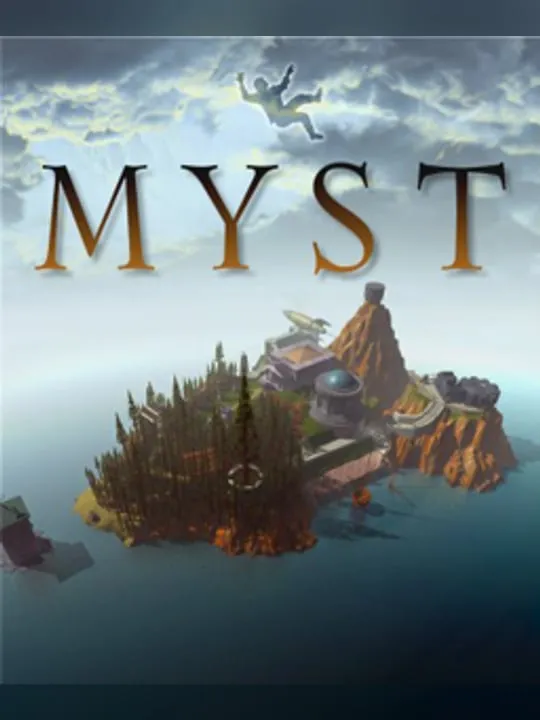
Myst is an adventure game that Cyan developed and Broderbund published for Mac OS on September 24, 1993. Rand Miller and Robyn Miller designed and directed it, Robyn Miller composed the music and Laurie Strand produced it. It is a single-player game, and it gave its name to the Myst series.
The game begins when you travel through a special book to an island called Myst. You move around and handle objects by clicking on pre-rendered images of each place. Solving puzzles lets you travel on to other worlds, which the game calls Ages, and each one reveals more of the backstory of the game’s characters. What you learn there feeds into a choice about whom to help.
A Windows version reached North America in March 1994. Over the following years Myst came to the 3DO, Sega Saturn, Atari Jaguar CD, PlayStation, CD-i and AmigaOS, and later to the PlayStation Portable, Nintendo DS, iOS and Nintendo 3DS. Several of those ports came from other studios: Sunsoft made the Saturn version, Alfa System the PlayStation one and Microcabin the 3DO release. Cyan owns the game today.
How it runs in your browser
Myst was never an MS-DOS game, and DOS.Zone tags this listing as a Windows 95 title. When you press Play, the game’s dos.zone page opens in a new tab, and js-dos, the site’s open-source DOSBox build for browsers, emulates the PC that the original Windows version runs on. The files come from DOS.Zone’s servers, so you don’t install anything or need a disc of your own, and you don’t sign up for anything either. DOS.Zone doesn’t show ads.
The listing carries a rating of 5 from 3 player reviews. It’s a small sample, and the page doesn’t tell you how progress is kept between visits, so check DOS.Zone’s page before you count on returning to a half-solved Age.
Controls and devices
Most of Myst is pointing and clicking. You look at a scene, click where you want to go, and click on objects to use them. The version on DOS.Zone was built for a keyboard and mouse, so a real mouse makes the experience much smoother. Click inside the emulator window once it has loaded so it starts taking your input.
DOS.Zone can show virtual on-screen controls on phones, but a game this dependent on precise clicking suits a computer better. We haven’t tested it on a phone, and Chromebooks haven’t been confirmed.
Who it’s for
Myst suits patient players who like to explore at their own pace, look closely at every room and piece clues together, and anyone who has heard of the game but never sat down with the original. DOS.Zone’s description notes that the story comes out through exploration and clues in the environment, so a pen and paper for notes is worth keeping nearby.
If you’d like another adventure from the same period, Gabriel Knight: Sins of the Fathers is Sierra On-Line’s 1993 mystery set in New Orleans, and The Neverhood is a 1996 Windows adventure that DOS.Zone runs the same way.
Is Myst Free, Safe and Official?
Can I play Myst online for free?
Yes. DOS.Zone runs the original Windows version free in a browser tab. There’s nothing to install, no game files to supply and no account to create.
Is this the original Myst?
Yes. It’s the 1993 game in its Windows version, which reached North America in March 1994, a few months after the Mac OS original. It isn’t made or endorsed by Cyan.
Can I play Myst on a phone or tablet?
DOS.Zone offers virtual on-screen controls for phones, but this version was built for a keyboard and mouse, and we haven’t tried it on a touchscreen. A computer is the better fit.