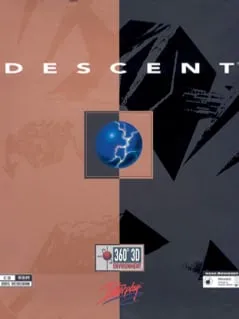
About Descent
Descent is a first-person shooter that Parallax Software developed and Interplay Productions released for MS-DOS in 1995, on March 3 in the UK and March 17 in North America. A Macintosh version, published by MacPlay, followed late that year. The PlayStation version came out in 1996, and R-Comp Interactive brought the game to RISC OS in late 1998. Mike Kulas and Matt Toschlog directed it, Rusty Buchert produced it, and Che-Yuan Wang, Mark Dinse and Jasen Whiteside designed it.
What set Descent apart was movement. It popularized a type of shooter built on six degrees of freedom, so your ship can move and turn along every axis, and it was the first FPS with entirely true-3D graphics. You play a mercenary hired to deal with a mysterious extraterrestrial computer virus that has infected off-world mining robots. In mine after mine across the Solar System, you pilot your ship past hostile robots, find and destroy the mine’s power reactor, and get out before the mine destroys itself. The original also had online play, with deathmatches and co-op games against the robots.
How it runs in your browser
Choosing Play opens Descent’s listing on dos.zone in a new tab. DOS.Zone boots the original MS-DOS release inside js-dos, an open-source version of the DOSBox emulator made for browsers, so the tab behaves like an old PC. The site supplies the game files, which means there’s nothing to download and unpack, no copy of your own to find and no sign-up. DOS.Zone doesn’t show ads.
The listing tags the game as an action shooter and a simulator, and players give it a rating of 5 from nine reviews. It says nothing about multiplayer or about how progress is saved, so treat it as a solo game and check the page for saving details.
Controls and devices
Descent expects a keyboard and mouse. DOS.Zone doesn’t list the controls, and with this much freedom of movement it’s worth looking through the game’s options before you enter the first mine. After it loads, click into the emulator window so your input reaches the game.
DOS.Zone has virtual on-screen controls for phones, but the game was built for a keyboard and mouse, and a computer suits it much better. We haven’t tested phones, and Chromebooks haven’t been confirmed.
Who it’s for
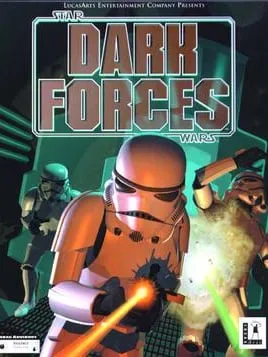
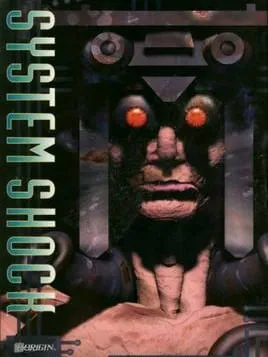
Descent suits players who remember it from the mid-1990s and want to fly it again without setting up DOSBox, and anyone who wants a shooter where up and down matter as much as left and right. If you want more first-person games from those years, Star Wars: Dark Forces runs on DOS.Zone in its MS-DOS version, and System Shock, from 1994, mixes 3D action with exploration aboard a space station.
Is Descent Free, Safe and Official?
Can I play Descent online for free?
Yes. DOS.Zone runs the 1995 MS-DOS version free in a browser tab, with nothing to install and no account. Its listing doesn’t mention multiplayer, so expect to fly the campaign on your own.
Do I need the original Descent files?
No. DOS.Zone serves the game files itself and runs them in js-dos, its browser build of DOSBox, so there’s nothing of your own to supply.
Does Descent work on a phone?
DOS.Zone shows virtual on-screen controls on phones, but Descent was made for a keyboard and mouse and we haven’t tested it on a touchscreen. Use a desktop or laptop if you can.