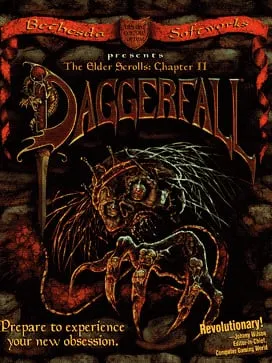
About The Elder Scrolls II: Daggerfall
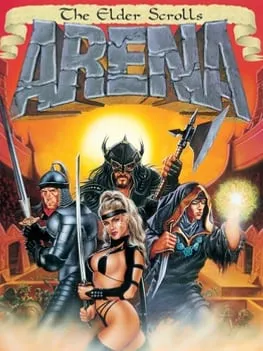
The Elder Scrolls II: Daggerfall is an action role-playing game published by Bethesda Softworks, which developed it with MediaTech West. It came out for MS-DOS on September 20, 1996 in North America and on November 1, 1996 in the UK. It was the second game in The Elder Scrolls series, following The Elder Scrolls: Arena from 1994. Julian LeFay directed it and designed it with Bruce Nesmith and Ted Peterson, Eric Heberling and Andy Warr wrote the music, and it was built on the XnGine engine.
The Emperor sends your character to free the ghost of King Lysandus from his earthly shackles and to find out what became of a letter the Emperor sent to the former queen of Daggerfall. You start by creating that character. DOS.Zone’s description places the game in High Rock and Hammerfell and counts more than 4,000 towns, cities and dungeons to explore, with political intrigue and old mysteries along the way. It is a single-player game.
In July 2009, for the 15th anniversary of The Elder Scrolls, Bethesda made Daggerfall a free download. That makes it freeware: anyone can play it at no cost, though it isn’t open source.
How it runs in your browser
Play takes you to Daggerfall’s page on dos.zone, which opens in a new tab. The site uses js-dos, its open-source build of the DOSBox emulator for browsers, to imitate an MS-DOS PC and start the original 1996 program on it. Because DOS.Zone supplies the game files, you don’t download the freeware release yourself or set up DOSBox, and there’s no account to make. DOS.Zone carries no ads.
The listing calls the game The Elder Scrolls 2: Daggerfall, files it under adventure and dungeon crawler, and shows a rating of 5 from 45 player reviews. It doesn’t describe save support. With a world that size, find out how saves are kept before you put hours into a character.
Controls and devices
Daggerfall was made for a keyboard and mouse. Click inside the game window once it has loaded so the emulator receives your input. The host’s page doesn’t list the controls, so look through the game’s own options when you begin.
On a phone, DOS.Zone can show virtual on-screen controls. This game was built around a keyboard and mouse, though, and we haven’t tried it on a touchscreen, so a desktop or laptop is the better choice.
Who it’s for
It suits players who know The Elder Scrolls and want to see the series’ second chapter as it shipped in 1996, and anyone who prefers to wander a large world and choose their own path through it. Since Bethesda released it as freeware in 2009, you don’t need to own a copy to play. Diablo, another action RPG from 1996, also runs in a browser, and Westwood’s Nox from 2000 is on DOS.Zone as a native web build.
Is The Elder Scrolls II: Daggerfall Free, Safe and Official?
Is Daggerfall free to play?
Yes. Bethesda made The Elder Scrolls II: Daggerfall a free download in July 2009 for the series’ 15th anniversary. DOS.Zone runs that game in a browser tab, with no account and nothing to pay. It is freeware, not open source.
Do I need DOSBox or the game files to play Daggerfall?
No. DOS.Zone runs the MS-DOS game through js-dos, its browser build of DOSBox, and loads the game files from its own site, so you don’t install an emulator or download anything yourself.
Does Daggerfall work on a phone?
DOS.Zone offers virtual on-screen controls for phones, but Daggerfall was built for a keyboard and mouse and we haven’t tested it on a phone. A computer is the better fit.