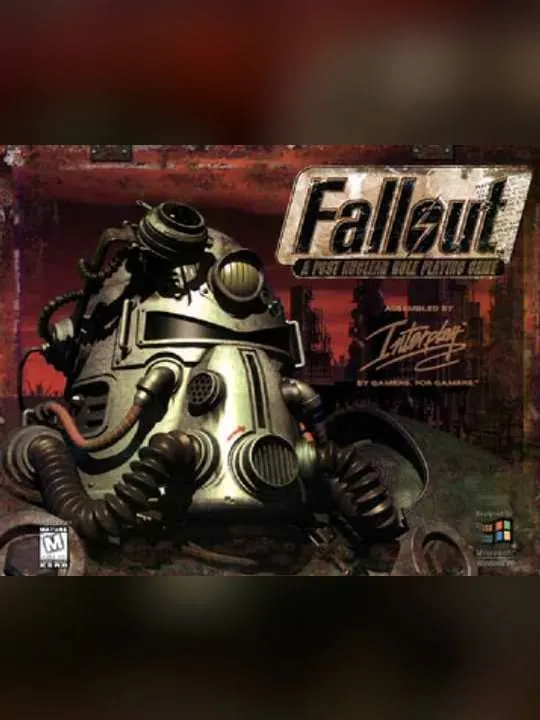
About Fallout
Fallout is a role-playing game that Interplay Productions developed and published. It came out for MS-DOS and Windows on October 10, 1997. MacPlay published the Mac OS version later that year and a Mac OS X version in 2002. Christopher Taylor designed the game, Tim Cain produced it and Mark Morgan composed the music. It is a single-player game, and it gave its name to the Fallout series.
The setting is a retro-futuristic world in the middle of the 22nd century, decades after a global nuclear war involving the United States and China. You play the Vault Dweller, who lives in an underground nuclear shelter known as the Vault. Its water supply system has failed, and you have to search the wasteland outside for a computer chip that can repair it. Along the way you meet other survivors, some of whom give you quests, and fights play out in turns. DOS.Zone’s description adds that your choices shape the story, and it points to deep character customization and a streak of dark humor. The rights now sit with Bethesda Softworks, part of ZeniMax Media and so of Microsoft.
How it runs in your browser
Pressing Play opens Fallout’s page on dos.zone in a new tab. There, js-dos, DOS.Zone’s open-source build of DOSBox for the web, emulates an MS-DOS PC and starts the original program on it. DOS.Zone serves the game files, so there is no installer to run, no copy of your own to dig out and no account to create. You won’t see ads on DOS.Zone either.
The site lists the game under its full title, Fallout: A Post Nuclear Role Playing Game, tags it as a turn-based RPG and shows a rating of 5 from 19 player reviews. The listing doesn’t say how saved games are handled. Before you put hours into a character, find out how DOS.Zone keeps your progress between visits.
Controls and devices
Fallout is played with a keyboard and mouse. Once the emulator has loaded, click inside its window so it receives your input. DOS.Zone doesn’t list the controls for this game, so look through Fallout’s own menus and options before you head out of the Vault.
Phones get virtual on-screen controls from DOS.Zone, but this game was built around a keyboard and mouse, and a desktop or laptop suits it far better. We haven’t tested it on a phone, and Chromebooks haven’t been confirmed.
Who it’s for
Fallout suits players who know the series and want to see the 1997 original as it first shipped, and anyone who enjoys RPGs where conversations, quests and turn-based fights all feed into a story that bends with your choices. It also suits people who want to play it without reinstalling an old PC game. If you like planning each move in turns, X-COM: UFO Defense is another 1990s turn-based game on DOS.Zone. Bethesda, which owns Fallout today, also made The Elder Scrolls: Arena, and that one runs in the browser the same way.
Is Fallout Free, Safe and Official?
Can I play the original Fallout online for free?
Yes. DOS.Zone runs the 1997 MS-DOS version free in a browser tab, with no account and nothing to download. It isn’t made or endorsed by Bethesda, which owns the series today.
Do I need to install Fallout or own a copy?
No. DOS.Zone loads the game files from its own site and runs them in js-dos, so there’s no installer and no files of your own to supply.
Can I play Fallout on my phone?
DOS.Zone offers virtual on-screen controls for phones, but Fallout was built for a keyboard and mouse and we haven’t tested it on a touchscreen. A computer is the better fit.