About Vex 3
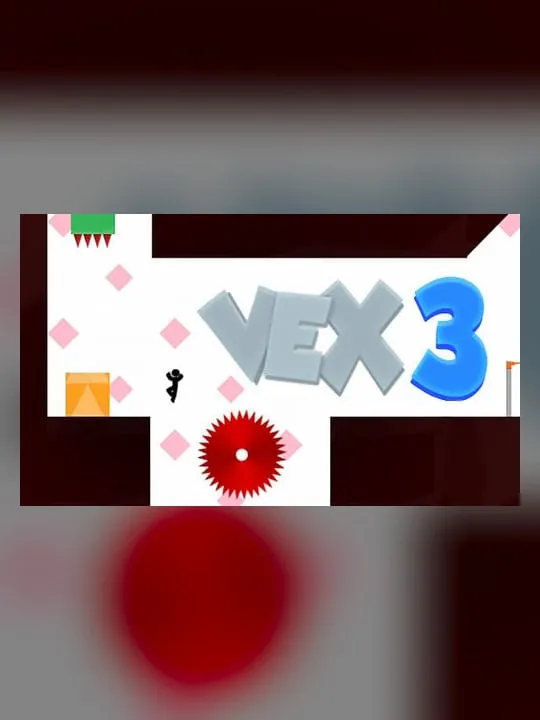
Vex 3 is a platform game about a stick figure with no special powers, just running, jumping and sliding, set against courses packed with traps. Spikes line the floors, saw blades spin through the air and electric beams cut across corridors. A single touch of any of them and your stickman pops, so most of the game is learning each course and trying again.
The game is built round a hub. Each act sits behind a block in the hub: you stand on it and press down to go in. Inside, the goal is a green portal at the end of the level, with red flags along the way that act as checkpoints. Orange blocks launch you higher, purple blocks fall a moment after you land on them, and some sections are underwater. Running faster makes you jump further, so carrying speed into a big gap matters as much as timing. A timer and a fail counter sit in the corners of the screen, and beating the acts earns trophies.
Vex 3 is part of Amazing Adam’s Vex series. Portals that carry it, such as Kizi, credit Amazing Adam and date it to August 2014, when it came out as a Flash game. An HTML5 version was released later; the Phaser game framework’s news page described it in 2017 as a new version of the Flash game, with 10 standard stages and 9 challenge stages. Coolmath Games added it in September 2023. Amazing Adam followed it with Vex 4.
How it runs in your browser
Coolmath Games runs the HTML5 version, so there’s nothing to install. Play opens the game on Coolmath Games in a new tab. There’s no account to make: your progress is kept in your browser. The site shows ads around the game.
On 23 November 2026, in desktop Chrome, the game loaded to its title screen with Play Game, Options and Trophies. Play Game took us into the level hub, with blocks for Act 1 and Act 2, a welcome-back message and a note that you move with the arrow keys or W, A, S and D. We ran right, straight into a row of spikes: the stickman popped, a “Popped!” message appeared and the fail counter went up to 1. The timer was running and progress showed 0%.
Controls and devices
Use the left and right arrow keys, or A and D, to run, and the up arrow or W to jump. Press down or S to slide under low walls, and to enter a level from the hub. We tested it on a desktop computer; we haven’t tried it on a phone or Chromebook.
Tips
- Use the checkpoint flags: touch every one, so a mistake only costs you a short stretch.
- Build up speed before big gaps, because a running jump goes much further than a standing one.
- Don’t linger on purple blocks; they drop soon after you land.
- Watch a trap’s rhythm for a moment before you go, especially moving saws and switching electric beams.
For more fast, unforgiving runs, try Run 3 or Geometry Dash, and for a gentler one-button challenge there’s Stickman Hook.
How to Play Vex 3: Controls
| Action | Keyboard & mouse |
|---|---|
| Run left or right | Left and right arrow keys, or A and D |
| Jump | Up arrow or W |
| Slide, or enter a level from the hub | Down arrow or S |
Is Vex 3 Free, Safe and Official?
Can I play Vex 3 online for free?
Yes. Vex 3 is free on Coolmath Games, with nothing to download and no account needed. The site shows ads around the game.
Who made Vex 3?
Amazing Adam, who made the Vex series. Portals that carry the game date it to August 2014, when it came out as a Flash game, and an HTML5 version followed later. That’s the version Coolmath Games runs.
How do you play Vex 3?
You start in a hub with a block for each act. Stand on one and press down to enter, then run, jump, slide and swim to the green portal at the end. Red flags are checkpoints, so you restart from the last one you touched instead of the start of the level.
Is Vex 3 hard?
Yes, on purpose. One touch of a spike, saw blade or electric trap and your stickman pops, and the fail counter in the corner keeps track. Later acts need precise jumps and good use of momentum, and earning the gold trophy unlocks a harder mode.