About Tic Tac Toe
Tic tac toe, also called noughts and crosses, is the pencil-and-paper classic played on a three-by-three grid. One player marks X and the other O, taking turns, and the first to get three in a row across, down or diagonally wins. If the grid fills with no line of three, the game is a draw.
ManyPlay’s version sets the board in a quiet garden of raked sand, bamboo and a stream, under the title The Scholar’s Garden, and you rake your marks into the sand. From the main screen you can:
- Play the computer. Pick one of four opponents of different strength. A match is a series, and the first side to three wins takes it.
- Play a friend. Two players share one phone or computer and take turns.
- Try Vanishing moves. A newer mode in which each player has only three marks on the board, which keeps games from settling into an easy draw.
A short optional tutorial explains the rules, and Hint and Rules buttons sit under the board during play. You play as a guest, with a name you can set and a count of series won.
Tic Tac Toe is made by ManyPlay, a catalogue of original browser games run by Manyplay Games Inc., which sent the game to us. ManyPlay also makes Ludo and 3D Snake. It says the garden pictures, opponent portraits, sounds and music were made with AI tools, while the computer opponents are the game’s own code.
How it runs in your browser
Tic Tac Toe is made for the browser, so there’s nothing to install. Play opens the game’s page on ManyPlay in a new tab, with the board in ManyPlay’s player and a full-screen button above it.
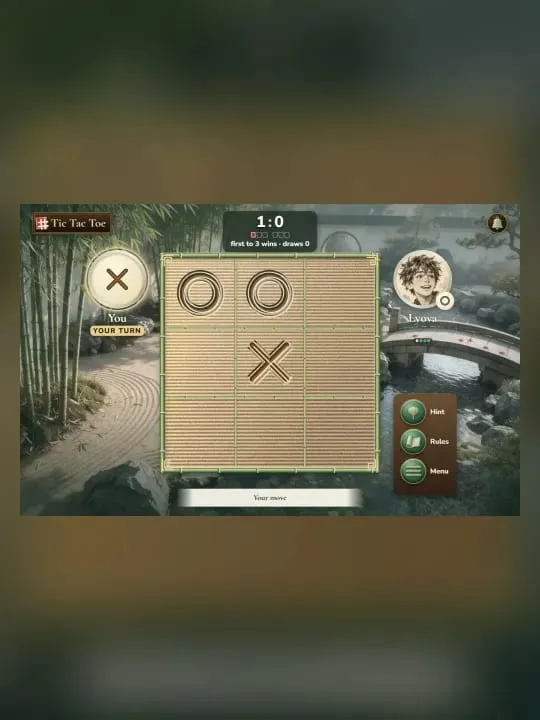
On 21 November 2026, in desktop Chrome, the page loaded to the main screen, with a guest profile, a Play button for a match against an opponent called Nika, and cards for the Computer, Two players and Vanishing moves modes. We started the match, skipped the 11-step tutorial and put our X in the centre. Nika answered with an O in the top-left corner, and the board showed our turn, the score at 0–0 and that the first to three wins takes the series.
Controls and devices
You click or tap an empty cell to place your mark; the rest is buttons. ManyPlay says the game works on phones and computers. We tested it on a desktop computer, not on a phone or Chromebook.
Tips
- Going first, take the centre or a corner; both leave you the most ways to make three in a row.
- Always check whether your opponent has two in a line before making your own move.
- Look for a fork, a move that makes two threats at once, since your opponent can block only one.
- Against a strong opponent, play safe for a draw and wait for a mistake.
For more board and card games, try Ludo, Battle Chess or Go Euchre. The multiplayer page lists more games to play with friends.
How to Play Tic Tac Toe: Controls
| Action | Keyboard & mouse | Touch |
|---|---|---|
| Place your mark | Click an empty cell | Tap an empty cell |
Is Tic Tac Toe Free, Safe and Official?
Can I play tic tac toe online for free?
Yes. ManyPlay’s Tic Tac Toe is free in your browser on a phone or computer, with nothing to download and no sign-up. ManyPlay says the game has no ads, and we didn’t see any when we played.
Can I play tic tac toe against the computer?
Yes. There are four computer opponents of different strength, each with a name and portrait. You play X and they play O, and a match is a series that ends when one side reaches three wins.
Can two people play on one device?
Yes. Choose Two players and pass the phone or share the mouse; the game keeps track of whose turn it is. There’s no online play.
Can you always win tic tac toe?
No. If both players make no mistakes, every game ends in a draw. You win by spotting your opponent’s slip, or by setting up a fork: two lines that each need one more mark, so they can block only one.