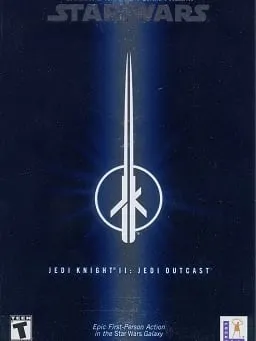
About Star Wars Jedi Knight II: Jedi Outcast
Jedi Outcast is a first- and third-person shooter developed by Raven Software and released for Windows on March 28, 2002, published by LucasArts and Activision. Mac, GameCube and Xbox versions followed later that year, and Aspyr brought it to the Switch and PlayStation 4 in 2019. It runs on id Software’s Quake III Arena engine and is the third main game in the Jedi Knight series, which began with Star Wars: Dark Forces.
You play Kyle Katarn, a mercenary for the New Republic who has cut his connection to the Force. The campaign starts with Kyle and Jan Ors investigating an Imperial outpost on Kejim, and after the first missions Kyle regains his Force powers and his lightsaber. Lightsaber duels are the heart of the game: blades deflect blaster fire, three saber styles trade speed for power, and Force powers such as Push, Pull, Jump and Lightning grow stronger as the story goes on. Raven Software released the game’s source code under the GPL in 2013.
How it runs in your browser
jk2-web is a project by Virtastic, a small open-source group that compiles desktop software to WebAssembly. It builds Raven’s original source release with Emscripten, so the game runs as a source port, not an emulator. Pressing Play opens jk2.virtastic.app in a new tab.
The page gives two choices. Play the demo starts the official free demo mission, which the site describes as the Kejim Post infiltration, with no copy of the game needed. Bring your own Jedi Outcast asks for the assets*.pk3 files from the GameData/base folder of an install you own, and its help covers Steam, GOG and disc copies. The files are read locally and aren’t uploaded. Saves and settings stay in your browser.
The port is single player only. The site serves no retail game data, so the full campaign needs your own files.
On 3 November 2026, in desktop Chrome, the demo downloaded its 61 MB of game data in about two and a half minutes and loaded to the Jedi Outcast main menu, with New, Load, Controls, Setup and Exit. We didn’t start the mission. The site labels the port a preview.
Controls and devices
The project lists desktop Chrome, Chromium, Edge and Brave as supported, and says mobile is out of scope. Picking your own files uses a browser feature that Firefox and Safari lack. Use a keyboard and mouse. The site doesn’t publish a key list, so check the game’s own Controls menu. If you press Esc and lose the mouse, click the game to get it back.
Who it’s for
The demo is a free way to try lightsaber combat before buying the game. If you already own Jedi Outcast on Steam or GOG, this lets you play the whole campaign in a browser tab. For another shooter on an id Software engine, see Doom 3.
Is Star Wars Jedi Knight II: Jedi Outcast Free, Safe and Official?
Can I play Jedi Outcast free in a browser?
Yes, the demo. Virtastic’s site jk2.virtastic.app runs the official free demo mission with nothing to install and no account. The full campaign needs the files from a copy you own.
How do I play the full Jedi Outcast campaign in a browser?
Choose Bring your own Jedi Outcast and pick the assets*.pk3 files from the GameData/base folder of your install, such as the Steam or GOG version. The files are read on your computer and aren’t uploaded.
Does Jedi Outcast multiplayer work in the browser?
No. The port is single player only. The project says the multiplayer code is part of Raven’s source release but isn’t built.