About Learn to Fly
Learn to Fly is a launch game: a penguin that’s tired of life on the ground slides off a snowy ramp and tries to fly. It never gets far on the first go. Every flight earns money, and between attempts you spend it in the shop on better sleds, gliders and eventually rockets, then launch again and get a little further. Coolmath’s instructions put the first goal simply: make it over the water. The loop of crash, upgrade and retry is the whole game, and it’s hard to stop at one more go.
It was made by Light Bringer Games, the studio name of Jean-Marie Prevost, a solo developer from Canada, and came out on Kongregate on 16 May 2009. Coolmath Games says it has been one of the most popular games on its site for over a decade. The series continued with Learn 2 Fly in 2011 and Learn to Fly 3, where the penguin builds a ship to reach space, which is free on Steam. Light Bringer’s own site lists the first game alongside the developer’s newer projects.
How it runs in your browser
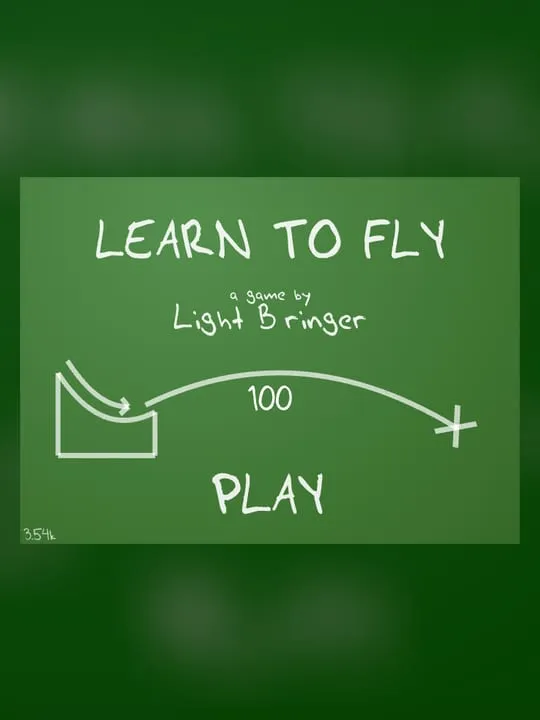
Both links lead to Light Bringer’s own releases, and each opens in a new tab with no account needed. Coolmath Games carries an HTML5 version whose title screen says “a game by Light Bringer”; a short countdown runs before it starts. Kongregate still has the developer’s original Flash upload from 2009, which it now plays through Ruffle, an open-source Flash Player emulator. Light Bringer’s site says browsers can’t run the Flash original any more, but Kongregate’s Ruffle player did run it when we tried.
On 17 November 2026, in desktop Chrome, Coolmath’s version loaded to the chalkboard title screen, “Learn to Fly, a game by Light Bringer”, and Play started the opening scene, “Somewhere in Antarctica”, with a Skip Intro button. On Kongregate, after pressing Play Now, the original Flash title screen appeared after a little over a minute, with MaxGames.com credited above the title.
Controls and devices
Coolmath’s instructions say to use the left and right arrow keys to control your angle in flight and to hold Space to fire rockets once you’ve bought them; the shop and menus use the mouse. We tested it on a desktop computer only; we haven’t tried a phone or Chromebook.
Tips
- Every flight pays, even a short one, so keep launching and upgrading.
- Use the arrow keys in the air: the angle you hold changes how far the penguin goes.
- Once you own a rocket, hold Space to fire it, and think about when it helps most.
- On repeat visits, the Skip Intro button gets you to the ramp faster.
For more Flash-era favourites, see the Flash games collection, and for another upgrade-and-retry game, try Hill Climb Racing.
How to Play Learn to Fly: Controls
| Action | Keyboard & mouse |
|---|---|
| Tilt the penguin in flight | Left and right arrow keys |
| Fire the rocket (once bought) | Hold Space |
| Menus and the upgrade shop | Mouse |
Is Learn to Fly Free, Safe and Official?
Can I still play Learn to Fly in a browser?
Yes. Coolmath Games has an HTML5 version credited to Light Bringer, and Kongregate still plays the developer’s original Flash upload through the Ruffle emulator. Both are free and need no download or account.
How do you play Learn to Fly?
Slide the penguin down the ramp and steer its angle in the air with the left and right arrow keys. Each flight earns money, which you spend on better sleds, gliders and rockets before trying again. The first goal is to make it over the water.
Who made Learn to Fly?
Light Bringer Games, the studio name of Jean-Marie Prevost, a solo developer from Canada. It came out on Kongregate on 16 May 2009 and was followed by Learn 2 Fly in 2011 and Learn to Fly 3, which is free on Steam.