About Lichess
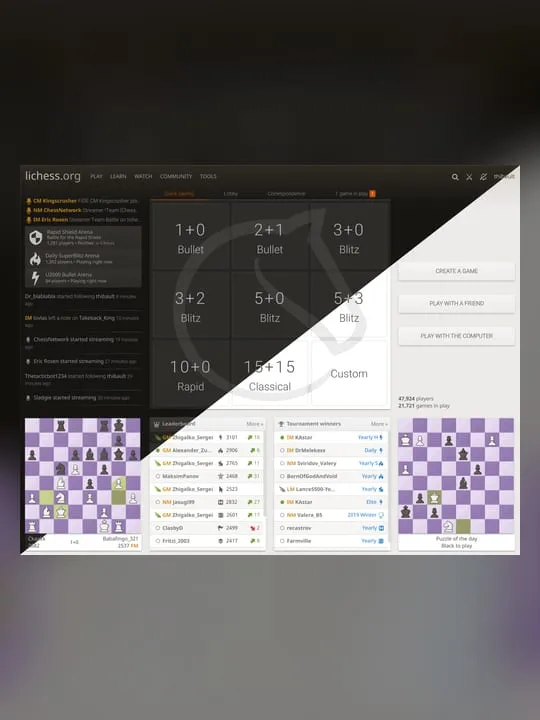
Lichess is a chess server: a website where you play chess against the computer or against other people, at any time control from one-minute bullet games to correspondence games played over days. It’s run by a non-profit organisation of the same name, it shows no ads, and every feature is free. The site is paid for by donations from players, who receive a badge on their profile as thanks.
French programmer Thibault Duplessis founded Lichess in 2010. The software that runs the site, and its design, are open source under the AGPL licence, so anyone can read the code. Official apps for Android and iPhone followed in 2015. You can play anonymously, or register an account to earn a rating, keep your game history and join rated games and tournaments.
Beyond playing games, Lichess has a large set of training tools: chess puzzles, lessons on the basic rules and tactics, an opening explorer, studies you can build and share, and a computer analysis of any finished game. It also runs regular arenas and tournaments, and offers chess variants such as Chess960, Crazyhouse, King of the Hill, Three-check, Atomic, Antichess, Horde and Racing Kings.
How it runs in your browser
Lichess is made for the browser, so there’s nothing to install. Play opens lichess.org in a new tab. You can start a game against the computer or another player without an account; signing up is free and only needed for ratings and rated play.
On 23 November 2026, our automated test browser in desktop Chrome was stopped by the security check on lichess.org, which we didn’t try to get round, so we didn’t play a game. The same day, checks from servers in Israel, Russia and the United States showed the home page loading normally, and Lichess’s public interface answered our request for that day’s puzzle. We’ll update this page once we’ve played a game there.
Controls and devices
You move pieces with the mouse, by dragging them or clicking a piece and then a square, or with a finger on a touchscreen. Lichess also has keyboard shortcuts, for example to flip the board or step through a game. We haven’t tested it on a computer, phone or Chromebook yet.
Tips
- Start against the computer at a low level, and raise it once you’re winning comfortably.
- Run the free computer analysis after each game to see where it turned.
- Try a few puzzles a day; they’re the quickest way to spot tactics in your own games.
- Chess960 is a good change of pace: the back-row pieces start in a random order, so memorised openings don’t help.
For more classic games against the computer, Battle Chess is the 1988 chess game with animated battles, and Durak Card Game and Go Euchre bring traditional card games to the browser.
Is Lichess Free, Safe and Official?
Is Lichess really free?
Yes. Every feature on Lichess is free, and the site has no ads. It’s run by a non-profit organisation and paid for by donations from players, who get a small badge as thanks.
Do I need an account to play on Lichess?
No. You can play anonymously, against the computer or against other players. An account lets you earn a rating, keep your game history and join rated games and tournaments.
Can I play chess against the computer on Lichess?
Yes. Lichess has a Play with the computer option with several strength levels, from gentle to very strong, and you can get a computer analysis of any game afterwards.
Who made Lichess?
French programmer Thibault Duplessis founded Lichess in 2010. The software and design are open source, and Wikipedia says the name combines “live”, “light” and “libre” with “chess”.
Does Lichess have chess variants?
Yes. As well as standard chess it offers variants such as Chess960, Crazyhouse, King of the Hill, Three-check, Antichess, Atomic, Horde and Racing Kings.