About Caesar III
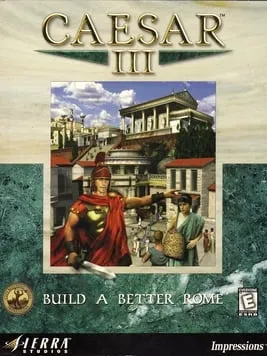
Caesar III is a city-building game developed by Impressions Games and published by Sierra. The Windows version came out on September 30, 1998, and a Mac OS version followed on June 18, 1999. It is the third game in the Caesar series and part of Sierra’s City Building series. David Lester designed it, Eric Ouellette produced it and Robert L. Euvino composed the music.
You play a provincial governor sent to build cities across the Roman Empire. You have to make sure your citizens have what they need, and along the way you deal with disasters, angry gods and hostile enemies. The developers designed the game as an answer to criticism of its predecessor: it introduced branching missions, put city-building and combat on a single merged map, and added a “walker” mechanic, in which citizens move through the city and affect what’s around them. Critics received it well. Reviewers praised its visual presentation and its complex design, and the military side drew most of the criticism. It is a single-player game.
How it runs in your browser
Press Play and the Caesar III page on dos.zone opens in a new tab. Caesar III is a Windows game rather than a DOS one, but DOS.Zone handles it all the same: js-dos, the site’s open-source build of DOSBox for the browser, emulates a complete PC, and the original Windows version of the game runs inside it. Everything is loaded from DOS.Zone, so there’s nothing to install and no copy of your own to supply. You don’t sign up for anything, and the site shows no ads.
DOS.Zone files the game with its Windows 95 titles under management, economic and strategy, and the page shows a five-star average from 45 player reviews. Its short description sums up the job: grow a Roman city while balancing housing, trade and military needs, and handle disasters and the demands of your citizens. The page doesn’t say whether saved cities stay available between visits, so check there before starting a long campaign.
Controls and devices
You play Caesar III with a keyboard and mouse. DOS.Zone doesn’t publish a control list for this game, so the game’s own menus are the place to learn the controls. After the game loads, click once inside its window so the emulator receives your input.
DOS.Zone shows virtual on-screen controls on phones, but this is a game made for a keyboard and mouse, and a desktop or laptop is the better fit. We haven’t checked it on a Chromebook.
Who it’s for
Caesar III suits players who built Roman cities in the late 1990s and want to return without hunting for an old CD, and anyone who likes city builders with a lot to keep track of. If you enjoy it, Impressions used the same engine and principles for ancient Egypt a year later in Pharaoh, which also runs on DOS.Zone. For a modern-city take on the genre, there’s SimCity 3000.
Is Caesar III Free, Safe and Official?
Can I play Caesar 3 online for free?
Yes, in a browser tab. DOS.Zone runs the original Windows version for free, with no account and nothing to install. It’s a single-player game, so there are no online matches.
Do I need a Caesar III CD or my own game files?
No. The game files load from DOS.Zone and run in an emulated PC through js-dos, so you don’t need a disc, an installer or an emulator of your own.
Does Caesar III work on a phone?
DOS.Zone offers virtual on-screen controls for phones, but Caesar III was built for a keyboard and mouse, and a computer is the better fit.