About 3D Pinball: Space Cadet
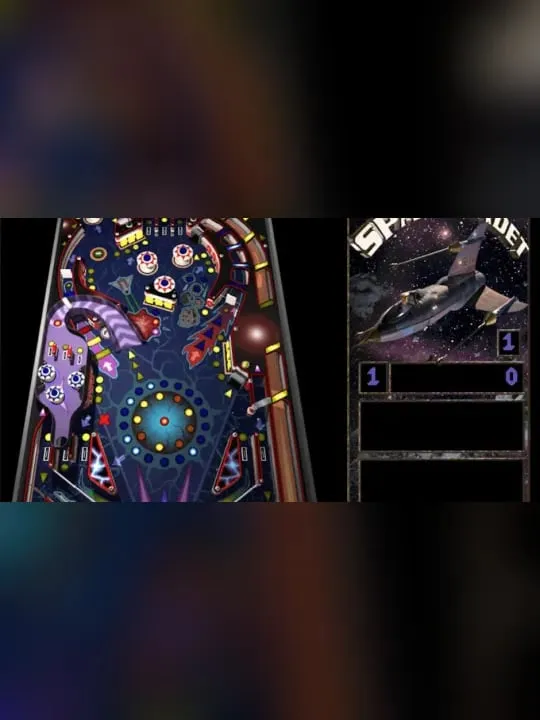
Space Cadet started out as one of three tables in Full Tilt! Pinball, a 1995 pinball game developed by Cinematronics and published by Maxis on November 16 that year. In Europe it was sold as Pinball 95. The package used pre-rendered 3D graphics, had music by Matt Ridgeway, and shipped with two other tables, Skulduggery and Dragon’s Keep. A sequel, Full Tilt! Pinball 2, followed in 1996.
Microsoft then took the Space Cadet table on its own and released it as 3D Pinball for Windows: Space Cadet. It first came with Microsoft Plus! 95 and was later included with Windows NT 4.0, Windows 2000, Windows ME and Windows XP, so it came ready to play on a long run of Windows versions. It disappeared from Windows Vista onward. Raymond Chen of Microsoft has written that a collision-detection bug in the 64-bit version was the reason it was dropped.
The game itself is straightforward pinball. You launch the ball with the plunger, keep it in play with two flippers, and nudge the table when the ball is heading somewhere you don’t want it to go.
How it runs in your browser
Press Play and DOS.Zone opens the table in a new tab. This isn’t an old copy of Windows booted inside an emulator. DOS.Zone labels it as based on the open-source version, meaning SpaceCadetPinball, a community decompilation of the game that k4zmu2a publishes on GitHub. That rebuilt code is compiled for the browser, and the original table data loads from the site.
There’s no installer, no account and no files to provide, and DOS.Zone shows no ads. The page carries a rating of 5 from 3,325 player reviews, which puts it among the most-played games on DOS.Zone. Whether high scores are kept between visits isn’t stated, so don’t count on them.
Controls and devices
DOS.Zone lists these controls on the game’s page:
- Left flipper: Z or the left mouse button
- Right flipper: / or the right mouse button
- Plunger: Space
- Left table bump: X
- Right table bump: . (period)
- Bottom table bump: up arrow
- New game: F2
The mouse buttons are an easy way in, since each flipper matches the button on its side. The page also mentions mobile controls for phones, but we haven’t tested them, so a desktop or laptop is the safer choice.
Who it’s for
It suits anyone who remembers the table from an old Windows PC and wants a few rounds without digging out that computer, and anyone after a game that fits into a short break. Maxis, which published Full Tilt!, also made SimCity 2000, and that runs in a browser too.
Is 3D Pinball: Space Cadet Free, Safe and Official?
Can I still play Windows XP Pinball online?
Yes, in a browser tab. DOS.Zone hosts a version of 3D Pinball: Space Cadet built from the open-source decompilation of the game, so you don’t need an old copy of Windows. It’s free and needs no account.
Is this Windows running in an emulator?
No. DOS.Zone says it’s based on the open-source version: SpaceCadetPinball, a community decompilation by k4zmu2a, compiled to run in the browser. It loads the original table data from the site.
Does Space Cadet Pinball work on a phone?
DOS.Zone’s page mentions mobile controls, but we haven’t tested them. On a computer you get every control, including the three table bumps, from the keyboard and mouse.