 Port
Port Diablo (DevilutionX web)
johnimril (DevilutionX web)

Series hub
The original Diablo runs in a browser through DevilutionX, an open-source port of its engine. Here is what the web build is, where it runs and what game files it may ask for.
| Game | Type | Multiplayer | Download | Chromebook | Where it runs | Status |
|---|---|---|---|---|---|---|
| Diablo (DevilutionX web) by johnimril (DevilutionX web) | Port | No | Not measured | Not tested | Plays here | Fan project |
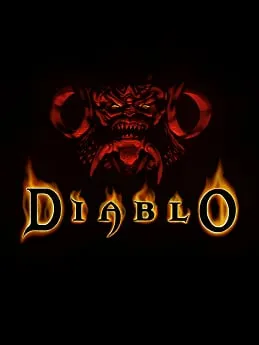
Blizzard North made Diablo, and Blizzard Entertainment released it at the end of 1996. It’s a dark fantasy action RPG: you pick a warrior, rogue or sorcerer and fight down through sixteen levels beneath the town of Tristram, from a ruined cathedral to the catacombs, the caves and finally hell, where Diablo waits. Hellfire, an expansion by Synergistic Software, followed in 1997.
Diablo II (2000), Diablo III (2012) and Diablo IV (2023) came later, but the first game is the one with a browser version. Its official home today is GOG, which sells it together with Hellfire.
Diablo (DevilutionX web) is a web build by johnimril, and it plays right on our page. DevilutionX is an open-source project built on Devilution, a reconstruction of the original game’s source code made by reverse engineering. It isn’t made or endorsed by Blizzard, and it’s listed as a fan project.
The engine is open source, but the game’s art, music and levels are not. DevilutionX can run either the free shareware demo data or the full game’s DIABDAT.MPQ file from a copy you own. What this particular build loads isn’t listed yet. If it asks for a file, use the DIABDAT.MPQ from your own copy, such as the GOG release.
Online play isn’t listed for this build, so expect single-player. It’s set up for a keyboard and mouse, and touch, gamepad and Chromebook support aren’t listed.
For other classic PC games you can play in a tab, browse our full game list.
No. DevilutionX is an open-source fan project that Blizzard hasn’t made or endorsed. The page is free to open, and the official Diablo is sold on GOG.
That isn’t listed yet for this build. DevilutionX can run the free shareware data or the full game’s DIABDAT.MPQ file; if the build asks for that file, use the one from a copy of Diablo you own.
Online play and touch controls aren’t listed for this build. Plan on single-player with a keyboard and mouse on a computer.
Diablo is a trademark of Blizzard Entertainment. PlayGamesInBrowser is not affiliated with or endorsed by Blizzard Entertainment; the games listed here are independent projects unless marked Official.